Thermometer using attiny85

Thread Starter

rahul411

Joined Feb 19, 2018
260
I'm making this project https://www.arduinoslovakia.eu/blog/2019/1/attiny85---teplomer-s-ds18b20?lang=en
On display it is supposed to show the temperature value but the only thing I'm getting is "err" error, which the guy who wrote this code says this message will only pop up if uC finds no sensor (ds18b20).
The sensor I'm using is new and working. I have checked it with a code which displays temp on serial monitor of Arduino.
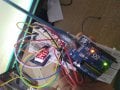
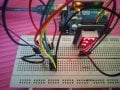
Here is what i have made look like, connections are all according to the schematic provided. IMG_20190325_171754.jpgAlso why gnd and vdd both are connected to ground?
 

wayneh

Joined Sep 9, 2010
18,104
The sensor has a “parasitic power” mode where it draws all the power it needs from the single wire. Until you get it working you might want to power it normally, to rule out that potential problem.
 

Thread Starter

rahul411

Joined Feb 19, 2018
260
The sensor has a “parasitic power” mode where it draws all the power it needs from the single wire. Until you get it working you might want to power it normally, to rule out that potential problem.
What does normally means here?
And i Don't know what is wrong with the setup or code, one thing i do know is that I'm in trouble.
 
What does normally means here?
And i Don't know what is wrong with the setup or code, one thing i do know is that I'm in trouble.
In the project text, to which you linked, there is a link for "parasitic power mode ds18b20". If you click on that link, you will see this page https://www.arduinoslovakia.eu/blog/2018/12/ds18b20---paraziticke-napajanie which shows you a diagram of the ds18b20 used in "normal" mode (Vcc) and Parasitic power mode.

It is not that Vdd is connected to GND, but that the Vdd pin on the ds18b20 is connected to the GND pin on the ds18b20 - and also to the circuit GND.

If you look at the ds18b20 datasheet and you search for dsb1820 parasitic power, you can read to understand the difference. You will also see that lots of people report problems with parasitic mode.

It is encouraging that you can read the sensor with arduino code.

It is impossible to see all of the important connections from your photograph.
 

Thread Starter

rahul411

Joined Feb 19, 2018
260
In the project text, to which you linked, there is a link for "parasitic power mode ds18b20". If you click on that link, you will see this page https://www.arduinoslovakia.eu/blog/2018/12/ds18b20---paraziticke-napajanie which shows you a diagram of the ds18b20 used in "normal" mode (Vcc) and Parasitic power mode.

It is not that Vdd is connected to GND, but that the Vdd pin on the ds18b20 is connected to the GND pin on the ds18b20 - and also to the circuit GND.

If you look at the ds18b20 datasheet and you search for dsb1820 parasitic power, you can read to understand the difference. You will also see that lots of people report problems with parasitic mode.

It is encouraging that you can read the sensor with arduino code.

It is impossible to see all of the important connections from your photograph.
I tried by normally connecting the sensor and output is the same ie "err".
I checked all the connections and every piece of wire is on right place.
What you think must be the most probable cause of this?
Code says if output from sensor is 0, err msg is displayed but sensor is correct and im powering this directly with Arduino, so no fluctuations in voltage.
 

wayneh

Joined Sep 9, 2010
18,104
I tried by normally connecting the sensor and output is the same ie "err".
I checked all the connections and every piece of wire is on right place.
What you think must be the most probable cause of this?
Code says if output from sensor is 0, err msg is displayed but sensor is correct and im powering this directly with Arduino, so no fluctuations in voltage.
In the code, the Err message is set if the sensor count is zero:

Code:
void setup() {
  display.setBrightness(0x02);
sensors.begin();
  if (sensors.getDS18Count() == 0)
    display.setSegments(SEG_ERR);
  else
    sensors.setResolution(12);
}
I have no idea how this code executes but is it possible that "sensors.begin()" executes asynchronously and the result is not ready yet when the next step asks for the sensor count? If that's possible, the code needs to either wait with a pause or explicitly re-enter the code when the results come back.
 
I checked all the connections and every piece of wire is on right place.
Then why bother posting a pic? Not being flippant, but it is never a bad idea to get another set of eyes on the breadboard. It happens not too infrequently that a wiring error has been made, even with perfect people like myself :):):) But that one pic that you posted simply does not show all of the connections - maybe you could post a series of pics toward that end?

Once that aspect has been "cleared", you need to go through the code (including the libraries) at least to some extent. Have you tried to do this and maybe inserted some checks and the like? @wayneh has raised one such possibility.

I know it is frustrating, but you are obviously close to getting it working and we all want to see that.
 

spinnaker

Joined Oct 29, 2009
7,830
I have checked it with a code which displays temp on serial monitor of Arduino.

So is that all you have done? Did you try debugging the code? Do you have a scope to see if data is being sent to the ds18b20? You really could benefit from a logic analyzer as one wire is very hard to troubleshoot.

IMHO one wire is not the way to go if you aren't fully prepared to work with it. One of the analog temperature sensors are much easier to troubleshoot.
 

spinnaker

Joined Oct 29, 2009
7,830
The sensor I'm using is new and working. I have checked it with a code which displays temp on serial monitor of Arduino.
Here is what i have made look like, connections are all according to the schematic provided. View attachment 173268Also why gnd and vdd both are connected to ground?

If it is working with a terminal program then it should be simple getting it to work with the 7 segment display. Learn to use your debugger. Try to understand what makes the working one work. Compare to the non working one. These are basic troubleshooting techniques.
 

spinnaker

Joined Oct 29, 2009
7,830
Other troubleshooting tips.


Forget about the sensor for now. Write a program to send to the display and make sure you can control it the way you expect.

Use your debugger to see if you are getting the response from the sensor that you expect.
 

Thread Starter

rahul411

Joined Feb 19, 2018
260
Here is what I have done so far.
I uploaded the same code on Arduino uno and made the connections accordingly and i was getting the temperature value as intended (very nice). I thought there must be something wrong with attiny, i have 2 of them, so i made a Arduino sheild for programming it and to reduce some inconvenience, and uploaded a small blink sketches to both and they both are working on every pin (ofcourse by changing the pin no in code then uploading again).
Then i run the example sketch given in tm1637(displays') library using UNO and that to performed as the sketch intended it to.
Again i gave attiny a shot to see whether by uploading the code it works or not, and as anticipated it doesn't.
So all n all the code works on UNO but gives the same ERR message on display when connected to attiny.
What should i do now:rolleyes::confused:
 

Thread Starter

rahul411

Joined Feb 19, 2018
260
I did it:)

Earlier I was uploading the sketch using 1Mhz internal clock and now when i pumped up it to 8Mhz, i got the required results. I don't know what happens after i did altered the frequency but surely i got the work done.
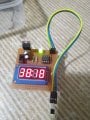
IMG_20190326_004528.jpg
I know too much ambient temperature here.

Thank you all,
 

atferrari

Joined Jan 6, 2004
5,011
Drop the hundredth of a degree. With that sensor as you have it is meaningless and even confusing for unaware readers or bystanders.
 

Thread Starter

rahul411

Joined Feb 19, 2018
260
How to modify the sketch to read fahrenheit? Thank you.
I think changing this line in code
display.showNumberDecEx(temp * 100, 0b01000000, false);

With this will do the fahrenheit conversion
display.showNumberDecEx(temp * 9.0 / 5.0 + 32.0, 0b01000000, false);
 
Top