Suggestions for schematic/PCB design software for hobbyists

Thread Starter

Ken_NJ

Joined Feb 22, 2021
73
I have very very small projects I need to create small PCB's. I don't even need to have a schematic, I just create the copper layer. Although I do need something to create schematics for some projects. I etch my own boards. I now have a Laser/Engraver (Creality Falcon2 Pro) I would like to use to do the layout of the PCB. I did and still use the laser toner transfer method on magazine paper. ExpressPCB is the software I am use to using but it seems difficult to get the output I need in order to send the job to the Laser/Engraver. I have QCAD Pro but I have not tried creating a PCB yet with it, and don't even know if it will work for me.

Is there another PCB program I can use that will give me more versatile outputs so I can get this process going with my Laser/Engraver? Would prefer an open source or free type software as I do not need to do this that often, only once a year if that. I would have to import the PCB design into the Laser/Engraver software.
 

MaxHeadRoom

Joined Jul 18, 2013
30,594
There is no "Trial" version, it is Totally Free, open source, they just ask for donations if you find it useful , up to you. ;)

"KiCad is an open source software suite for Electronic Design Automation (EDA). The programs handles Schematic Capture , and PCB Layout with Gerber and IPC-2581 output.
The suite runs on Windows, Linux and macOS"
https://www.kicad.org/about/kicad/
 
Last edited:

panic mode

Joined Oct 10, 2011
4,931
I am using KiCad for many years bit I am not yet chasing latest versions so i am not sure it this still applies to newest intaller... but ...if you are installing it in a Windows environment, you may want to consider either picking custom folder (say C:\KiCad) or relocating libraries to some place that Windows does not apply restrictions like it does to C:\Program Files...
this would allow you to modify existing libraries without trouble.
 

MaxHeadRoom

Joined Jul 18, 2013
30,594
I have used the latest versions as they came out, there is much larger libraries now.
To edit a part, you make the modifications and write/save it in a new self designated library.
IOW you cannot save a modified part back to its original library.
 

Jon Chandler

Joined Jun 12, 2008
1,571
Check out EasyEDA by JLCPCB. Try the standard version – as the name says, it's truly easy, without a steep learning curve.

Gerbers are provided, and the parts library is huge. It's a free cloud-based program and your files are private, unless you want to share.
 

sparky 1

Joined Nov 3, 2018
1,218
unlike Qcad you place a very very specific pad by name.
If you are not specific you will not get very far unless you use just donuts
Here is a universal hobby pcb template in Qcad.
I had to use 7zip file extension to upload to ACC

I have not tryed the export gerber cadcam. The origin in the template should work with engraver software.
you could run a hole drilling operation with Qcad cam. Put a microscope in the quill and read all kinds of circuits into qcad would be nice.
if you scale a picture of a circuit in greyscale ( inside the 3 x 3) that is place the monochrome picture on another layer place donuts on the holes on the top layer run the traces and pour the copper delete out the vias on the bottom layer. You can zoom in to see that it exceeds what an engraver is capable of. That being the case the pcbway shared projects has been delivering professional boards. AAC could have a better shared projects category
and we would gladly buy boards thru AAC because of the better support and simulation.
 

Attachments

Last edited:

panic mode

Joined Oct 10, 2011
4,931
in response to MaxHeadRoom - i agree...

personally, i only use own libraries as i want to control everything and rely on design choices i make. using own libraries also means that software upgrades will not change the modifications back. also massive libraries are a drag - i prefer small/slim libraries with parts i actually use where product, footprint, 3D view etc are related by design so i do not have to assign it to each symbol added to schematics.

but for someone just starting out, short term and long term goals are very different. short term is to get to know something, mess with it and get some designs out. it is easier (even if not beneficial long term) to have access to ready made libraries and also be able to manipulate existing and add new parts to those libraries and keep the organizational structure. but KiCad defaults to installing libraries with the application (ie. subfolder). it is not KiCad that objects to modifying/expanding original libraries - it is the Windows. and as stated there are options to work around that.

the good news for anyone entering EDA today is that never before one had so many good EDA options, including some that are 100% free. i have not use EasyEDA but have tested various other products before settling on KiCad.

i just looked at QCad file and it is just a DWG. does QCad have any EDA capabilities?

because if not... oh my....
:oops:

then process is to manually place shapes that represent pads and drawing lines as tracks, and that is absolutely insane. that may be a DIY approach considered decades ago. but even than it would be for small projects since even single layer boards of significant size would be pretty hard to work on. let the computer do the nuisance work... EDA software keeps track of pins, pads, nets, layers, 3D view etc. and makes routing easy.

1725394368276.png
 
Last edited:

sparky 1

Joined Nov 3, 2018
1,218
then process is to manually place shapes that represent pads and drawing lines as tracks, and that is absolutely insane.
Ok panic mode, Moderator please review panic mode for calling someone's work insane in the forum rules !!!
The insult runs deep, very deep !!!

For a post regarding hobbyist software and specifically QCad this is appropriate enough without
receiving negative remarks. The features like Gerber import and export has more merit than expressed above
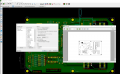
The file posted is my own and the image on the right is an example.

This small simple pcb which is an AAC shared project, I did not ask for remarks like criticism, Sure I use other software most of the time.
The picture that I copied is here and credit goes to 60 Hz Clock Generator Circuit using MM5369 | ElecCircuit
It was as easy, copy image paste scale add some pads, fun easy nothing special, very useful software for a cad person.
The other designs are also completed but which one is best is where I discontinued this project.
Because I was just playing around not trying to reinvent the wheel. Automation would be nice, but this is sufficient for replication as a test board.
The other part of this is, the off grid tie. The phase of this crystal controlled 60Hz time base needs to do hard resets
I am not sure how? The reset issue was never tested on this design. There must be some kind of buffer to synchronize phase.
What I remember is a bunch of light bulbs indicated phase so the generator would not explode with grid tie in or burden on house appliances.
Qcad is great I enjoy not being confined to the bells and whistles of canned software just concentrate on the copper design.
Qcad source code can be downloaded at Github which is better than anything panic mode has ever done in his life.

Screenshot 2024-09-03 150137.png
 
Last edited:

panic mode

Joined Oct 10, 2011
4,931
You can take it any way you like. Maybe read it again. I simply asked if QCad has EDA capabilities. By insane i mean inefficient /labor intensive and error prone. The same would apply to using ms paint or carving board with the knife or rotary tool. Do you disagree? I have done many insane things myself, but i would not be recommending them to others if better alternatives exist. But I am still interested in the proces. Also that file posted is not your own work but a template.
 
Last edited:

panic mode

Joined Oct 10, 2011
4,931
@sparky 1

i see that rather responding you added more to your previous post. if you like QCad go for it. i meant no offense. but everything i know about it suggests that this is a mechanical CAD, not an EDA. it can be good for very simple things and homebrew PCBs for those that etch their own boards and use toner transfer for example. this means low density boards with few parts. note that topic starter stated that he already has QCad Pro but would like something better.


and if you want to get attention of forum moderators, try Report link (below post, far left, before Edit and Delete).
 

Thread Starter

Ken_NJ

Joined Feb 22, 2021
73
Right now I use Qcad for designing the scale model boat frames for the boats I build. Then I bring them into the Laser/Engraver software and massage them before printing on the Laser. I will not be trying to use Qcad for electronics work unless I use it for block diagrams for the electronics explaining the functionality. Actual components & schematics I would use in a dedicated electronics program I am asking about here.

Although ExpressPCB is OK for me in the past, it does not have the versatility I'm looking for to try to export to the Laser/Engrsver sfw. In the meantime I'll check out KiCad and EasyEDA which were mentioned.
 

panic mode

Joined Oct 10, 2011
4,931
KiCad does have those options. you can export to gerber if ordering PCB from any fab shop or you can print to paper or PDF. if desired you can mirror the output
1725423012218.png
 
Top