SPICE files

Thread Starter

Ian0

Joined Aug 7, 2020
13,097
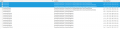
Since I upgraded SPICE all the transistors I have added have gone missing. I still have the downloads so I want to reinstate them. I understand that they are in a file called "standard.bjt" but SPICE has installed three such files.
Which one?

Screenshot from 2024-08-11 08-28-31.png
 

DickCappels

Joined Aug 21, 2008
10,661
Does it matter which one? Maybe the fact that you have three such folders is what is keeping SPICE (LTspice?) from finding the transistor model.

If this is LTspice, try dragging the two newest folders out of the folder that holds three at the moment. Let us know whether that works!
 

eetech00

Joined Jun 8, 2013
4,704
If this is LTspice version 24, it uses standard.bjt located in:

C:\Users\(username)\AppData\Local\LTspice\lib\cmp

During an "upgrade" it will overwrite the existing standard.bjt and doesn't retain any user modifications to the file.

Custom BJT models can be stored in file location (by default):

Documents/LTspice/user.bjt

LTspice will look in both standard.bjt and user.bjt for BJT model definitions.

It is not recommended to add models to standard.bjt.
 
Top