Software documentation

Thread Starter

Ian0

Joined Aug 7, 2020
13,131
I've only used the html pages as I don't use MS word.


Try changing the INPUT_ENCODING to ISO-8859-1 or something compatible.
https://www.gnu.org/software/libiconv/
it works with the html, but I wanted a pdf. I assumed that for 16-bit Unicode I should use UTF-16 but that just generates an error message.
Any other setting makes Ω into Ω
The html looks like a huge muddle of files. I doubt my management would know which one to click on to start. Something they could print out and file would suit them better!
 

nsaspook

Joined Aug 27, 2009
16,322
You can try using the latex docs to make a unified pdf

For Linux, install: texlive-full
apt-get install texlive-full

Go the latex directory of the doxygen generated files instead of the html directory and type make to create the pdf.

The completed file should be called refman.pdf.

1741285338867.png

1741285359034.png

1741285379795.png

1741285404295.png
 

Thread Starter

Ian0

Joined Aug 7, 2020
13,131
You can try using the latex docs to make a unified pdf

For Linux, install: texlive-full
apt-get install texlive-full

Go the latex directory of the doxygen generated files instead of the html directory and type make to create the pdf.
The completed file should be called refman.pdf.
It just complains about not having a font map file (and writes a log file 788 lines long to tell me that).
 

nsaspook

Joined Aug 27, 2009
16,322
It just complains about not having a font map file (and writes a log file 788 lines long to tell me that).
Works for me but you must install texlive-full, first.

root@maint9:~/ha_energy/bmc/latex# make >lo
This is makeindex, version 2.17 [TeX Live 2025/dev] (kpathsea + Thai support).
Scanning input file refman.idx....done (895 entries accepted, 0 rejected).
Sorting entries..........done (9336 comparisons).
Generating output file refman.ind....done (1344 lines written, 0 warnings).
Output written in refman.ind.
Transcript written in refman.ilg.

list output of the make command and resulting pdf file.
 

Attachments

Last edited:

Thread Starter

Ian0

Joined Aug 7, 2020
13,131
Have you made progress on generating the pdf or rtf output?
On advantage of having two computers.. . .
I installed texlive on the one at work, and it worked - no complaints about the fonts.
(The one at work refused to load the latest version of Doxygen, and installed the previous one, but it works).
I can get rtf output, and pdf either via Open Office writer, or via Latex and texlive.
They both make a mess of unicode characters, but in two different ways!
A long conversation with the Doxygen author on GitHub followed, after which I now have unicode characters wrong in three different ways.
 

nsaspook

Joined Aug 27, 2009
16,322
When something is critical to a software project I sometimes build my personal copy so I don't depend on the distro version that might be far behind the current release in fixes and improvements.

https://github.com/doxygen/doxygen?tab=readme-ov-file
https://www.doxygen.nl/manual/install.html
1741460886468.png
I also compiled the latest GUI frontend for Doxygen.

1741460928513.png
1741460961591.png

Make the refman.pdf in the latex directory.
Open refman.pdf in firefox
1741461011910.png
main logtime call graph
1741461095747.png
energy.h include graph

HA_ENERGY program active run log.
1741461388278.png

1741461865347.png
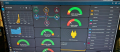
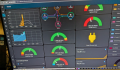
Home Assistant control panel using the HA_ENERGY and other data streams, mainly using MQTT as the communications sharing method.
1741462663701.png
1741462515002.png
 
Last edited:

Thread Starter

Ian0

Joined Aug 7, 2020
13,131
I note that you have some sections of code within your documentation. How do you tell it to do that?
When it documents a file, it lists the functions first as a kind of index, then below that goes into more detail.
I get an entry in the "index" if I put a comment before the first { and in the detail if I put it after, though it would make more sense if it repeated the first one at the beginning of the detail.
 

nsaspook

Joined Aug 27, 2009
16,322
I note that you have some sections of code within your documentation. How do you tell it to do that?
When it documents a file, it lists the functions first as a kind of index, then below that goes into more detail.
I get an entry in the "index" if I put a comment before the first { and in the detail if I put it after, though it would make more sense if it repeated the first one at the beginning of the detail.
I'm using the Wizard to generate documents from the command line. The doxygen version is the latest from github compiled on my workstation.
1741905902694.png
1741905921203.png
1741905938453.png
cross-referenced source code in the output.
1741905978743.png
1741905996144.png
1741906015546.png
1741906111998.png
1741906048536.png
1741906172385.png
 

Futurist

Joined Apr 8, 2025
748
Just how does one document software?
I'm a complete autodidact when it comes to software, but I've been writing microcontroller software for most of my career, and no-one has ever has asked me to document it. Now, I'm thinking of retiring within the next few years and whilst I could behave like a complete bastard and just leave my successor to sort out the mess, I'm not that sort of bloke; and perhaps it really should be properly documented now.
Whilst I might like to think that I write perfectly lucid code that is perfectly obvious to anyone reading it what it does, that might just be a matter of opinion; so, are there standardised ways of documenting C, beyond writing the odd comment line? To what level of granularity should it be explained?
And how? In natural language or by flowchart?
Get the original requirements, the input documents that drove the creation of the software. If your code implements already documented requirements then you're halfway there. You could annotate bits of the code too with references to the requirements as well like "This file implements section 3 of chapter 2" and so on.

Any material that fed into the writing of the code will be very helpful, whether its requirements or logical design and so on.
 
Top