Reading battery voltage using adc registers

Ian Rogers

Joined Dec 12, 2012
1,136
OMG! i just realized it, just rechecked, yesssssss it is me that's because due to some reasons i was not able to access that above account and that is why i had to create this new one in order to comment. Is that a violation. if yes, how can i delete top comments?
I think the mods will just merge the two identities.. Not to worry
 

Thread Starter

amishlol234

Joined Mar 10, 2022
32
okay, could you help with code.


#include <SoftwareSerial.h>
int led = 3;
#define rx 1
#define tx 0
SoftwareSerial serial (rx,tx);
void setup() {
pinMode (rx, INPUT);
pinMode (tx, OUTPUT);
serial.begin (9600);
pinMode (led, OUTPUT);
pinMode (2, INPUT);
//ADMUX = (1 << REFS1) | (0 << REFS0);
analogReference (INTERNAL);
}

void loop() {
// ADMUX = (1 << REFS1) | (0 << REFS0) ; // Sets ref. voltage to internal
//analogReference (INTERNAL);

float voltage = (analogRead(2)/1023*(1.1)*(5.7));
//ADCSRB = (1 << ADLAR);
int ADC_value = ADCL | (ADCH<<8);
serial.print ("solar panel voltage");
serial.println(ADC_value);

delay(1000);

if (ADC_value<=1023){
digitalWrite (led, HIGH);
}
else{
digitalWrite (led, LOW);

}
}


see, at the end if loop i made if reading is 1023 then only turn on the led but it is turning the led on at 0v and at 1023 it remains off.
 

Ian Rogers

Joined Dec 12, 2012
1,136
You said you had an external Xtal? ADC2 is not available. ADC1 is PB2... PB4 is on Pin 3 PB2 is on pin 7

It is an 8 pin you are using??
 

Thread Starter

amishlol234

Joined Mar 10, 2022
32
analogRead(2) this command reads as ADC2

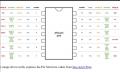
1677760740190.png

pin 8 is connected to LED.
pin 2/ADC2 is connected to solar.
8MHZ XTAL is connected to PB0 and PB1.
it's attiny44.
 

Ian Rogers

Joined Dec 12, 2012
1,136
Tiny comes in 8 pin as well ( Actually! That might be the 45 ). That's the one I thought it was...

You need to stop jumping from arduino pinout to chip pinout, I'm getting confused AN1 is ADC2 I dont know this chip at all.
 

Thread Starter

amishlol234

Joined Mar 10, 2022
32
Yes, you are right adc2 is AN1. I had to jump because my project uses attiny not arduino. I uses arduino so that I can easily read the output. There isn't much difference between 45 and 44 IC. Mainly its the pinout difference and I am very well versed with it
 

Ian Rogers

Joined Dec 12, 2012
1,136
you said:
pin 8 is connected to LED.
But in your code " int led = 3; " then " pinMode (led, OUTPUT); " BUT pin 8 (chip) is PA5! pin 8 (arduino ) is PB2!!

Pin 3 (arduino) is PA3..
Very confusing.. I cannot follow
 

Thread Starter

amishlol234

Joined Mar 10, 2022
32
But in your code " int led = 3; " then " pinMode (led, OUTPUT); " BUT pin 8 (chip) is PA5! pin 8 (arduino ) is PB2!!

Pin 3 (arduino) is PA3..
Very confusing.. I cannot follow


Okay I will try clearing it out.

Physical pin 10 of attiny is declared as pin 3 for programming. Attiny has different physical and programmable pin. Forget about pin 8 that was for arduino code.

Attiny is different, I've written a different code for that above.
 

Thread Starter

amishlol234

Joined Mar 10, 2022
32
Yes I know, I'll not create any new it's because I was not getting any response on one of them and it was very old. You can check the thread creation date
 

Ian Rogers

Joined Dec 12, 2012
1,136
Yes I know, I'll not create any new it's because I was not getting any response on one of them and it was very old. You can check the thread creation date
Most people ( like me) Just few the new threads page, This helps me not to miss things I can help with.. When you double post I see both.. I normally will send a report, but as yu had two identities it muddies the water a bit.
 

Irving

Joined Jan 30, 2016
5,145
The thread I've been putting effort into started Feb 27, this one started Feb 10... I tend to only look at new threads, once they've got a dozen or so responses I generally don't look unless the thread title catches my eye. All too often I've seen threads go off at a tangent because someone hasn't read the opening few posts and dives in at page 2 or 3 with some view that's off kilter and completely confuses the situation. Sadly that someone is often one of the longer-standing "experts"!

Anyway looks like @Ian Rogers has been giving you similar advice as myself. However connecting the solar panel direct to the battery I think is flawed...
 

Thread Starter

amishlol234

Joined Mar 10, 2022
32
The thread I've been putting effort into started Feb 27, this one started Feb 10... I tend to only look at new threads, once they've got a dozen or so responses I generally don't look unless the thread title catches my eye. All too often I've seen threads go off at a tangent because someone hasn't read the opening few posts and dives in at page 2 or 3 with some view that's off kilter and completely confuses the situation. Sadly that someone is often one of the longer-standing "experts"!

Anyway looks like @Ian Rogers has been giving you similar advice as myself. However connecting the solar panel direct to the battery I think is flawed...
Yes i would stick to this thread now with the hope of finding solution to my problem, I understand it is flawed but the product requires minimal current consumption which restricts me from adding on additional components that's why I use a schottky diode from panel to battery side and I have just shorted the grounds of both ends together with the hope that it'll charge my battery. I am still unsure if it will charge. Currently I've been dealing with coding issue, the code that worked perfectly with arduino but not with attiny44. I am confused as the led goes ON or reads high under 0v whereas goes off when it reads 1023, as per the code it should act opposite. I made :
If ( voltage >=1023){
digitalwrite (led, HIGH);}
else{
digitalWrite (led, LOW);
}
It behaves as per the code only with arduino not with attiny. Still figuring out!
 

Irving

Joined Jan 30, 2016
5,145
Yes i would stick to this thread now with the hope of finding solution to my problem, I understand it is flawed but the product requires minimal current consumption which restricts me from adding on additional components that's why I use a schottky diode from panel to battery side and I have just shorted the grounds of both ends together with the hope that it'll charge my battery. I am still unsure if it will charge. Currently I've been dealing with coding issue, the code that worked perfectly with arduino but not with attiny44. I am confused as the led goes ON or reads high under 0v whereas goes off when it reads 1023, as per the code it should act opposite. I made :
If ( voltage >=1023){
digitalwrite (led, HIGH);}
else{
digitalWrite (led, LOW);
}
It behaves as per the code only with arduino not with attiny. Still figuring out!
Which is why I was suggesting structuring your code more cleanly and seperating out the read process into clearly defined steps to validate things, not mixing analogRead with direct register access in case of unknown side effects, and taking a step by step approach.

Regarding your LED, are you sure the use of HIGH & LOW applies the same way on the ATTiny?

try this code on both...

C:
setup() {
  pinMode(LED_BUILTIN, OUTPUT);
}

loop() {
  digitalWrite(LED_BUILTIN, LOW);
  delay(2000);
  digitalWrite(LED_BUILTIN, HIGH);
  delay(500);
}
Do you get the same pattern of OFF for 2 sec, ON for 1/2 sec on both? I know that some ESP32 boards, for example, are opposite to the Arduino.
 

Thread Starter

amishlol234

Joined Mar 10, 2022
32
Which is why I was suggesting structuring your code more cleanly and seperating out the read process into clearly defined steps to validate things, not mixing analogRead with direct register access in case of unknown side effects, and taking a step by step approach.

Regarding your LED, are you sure the use of HIGH & LOW applies the same way on the ATTiny?

try this code on both...

C:
setup() {
  pinMode(LED_BUILTIN, OUTPUT);
}

loop() {
  digitalWrite(LED_BUILTIN, LOW);
  delay(2000);
  digitalWrite(LED_BUILTIN, HIGH);
  delay(500);
}
Do you get the same pattern of OFF for 2 sec, ON for 1/2 sec on both? I know that some ESP32 boards, for example, are opposite to the Arduino.

The code is working perfectly on both IC. The issue is with analog functions i believe.

#include <SoftwareSerial.h>
int led = 7;
#define rx 1
#define tx 0
SoftwareSerial serial (rx,tx);

void setup() {
pinMode (rx, INPUT);
pinMode (tx, OUTPUT);
serial.begin (9600);
pinMode (led, OUTPUT);
analogReference (INTERNAL);
}

void loop() {
float voltage = (analogRead(2)/1023*(1.1)*(5.7));
ADCSRB = (0<<ADLAR);
int ADC_value = ADCL | (ADCH<<8);
serial.print ("solar panel voltage");
serial.println(ADC_value);
delay(1000);


if (ADC_value<=1023){
digitalWrite (led, HIGH);
}
else{
digitalWrite (led, LOW);

}
}

I have removed direct access to registers at many places.
 

Ian Rogers

Joined Dec 12, 2012
1,136
I use the chipkitMax on the Arduino platform.. I aslo use Mega. Uno, minis and the micro pro.
If you keep to the arduino pin structure you can cross from one chipset to another quite easy.. This is why they provide board compatability.. If you put a n LED on adrduino pin 5 and your new device has an adrduino pin 5 (regardless of where it is ) it should work. I have a complete graphical inteface on the chipkit and the same code works on the mega with a smaller screen. The only difference I need to sort out is screen size and placement!
 
Top