Proskit MT-3109 AC/DC Digital Clamp Multimeter not displaying anything

Thread Starter

zillah

Joined Jul 21, 2015
21
Dear Experts

I have got very rarely used Proskit MT-3109 AC/DC Digital Clamp Multimeter, I needed to use it recently I realized nothing display in the screen I thought we need to replace the 3xAAA batteries
But still nothing display in the screen

https://pacific-electronics.com/pro-skit-mt-3109-ac-dc-digital-clamp-multimeter

i was trying to see if any fuse blown up but I need to remove the back cover gently but not to pry it :

To remove the back cover of a Proskit MT-3109, locate and remove the screws using a Phillips-head screwdriver. Do not pry the cover off, as this can cause damage to the plastic. Once the screws are removed, gently lift the back cover off to access the internal components of the multimeter
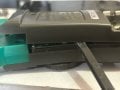
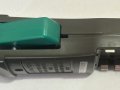
But I am struggling to lift it off completely ,,,,,,,,,,,,,top par I can lift it off but not bottom one

Thx
 

panic mode

Joined Oct 10, 2011
4,864
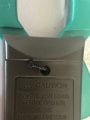
sounds like you did not remove all screws. sometimes one or more of them may be behind label... show the back side.
btw it is not a good idea to leave batteries in equipment that is used rarely. if batteries leak, they can damage device.

another thing worth checking is teardown videos by people doing review. then you see exactly how to disassemble something
 

Thread Starter

zillah

Joined Jul 21, 2015
21
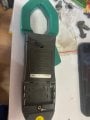
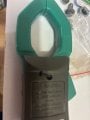
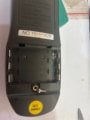
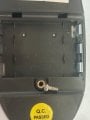
Please see the back side in the photos attached

btw it is not a good idea to leave batteries in equipment that is used rarely. if batteries leak, they can damage device.
My bad

another thing worth checking is teardown videos by people doing review. then you see exactly how to disassemble something
Thx for the tip
 

Attachments

Alec_t

Joined Sep 17, 2013
15,101
Judging by the bend in the plastic in image 2631 there is likely a hidden fixing in/by the battery compartment.
 

rsjsouza

Joined Apr 21, 2014
424
As I see only one self-tapping screw in the photos, My guess is the same as @sarahMCML : below the QC sticker there might be another one.

That or you have very tough plastic clips near the battery compartment.
 

Thread Starter

zillah

Joined Jul 21, 2015
21
Thank you very to all of you
Or under the yellow QC sticker?
Thank you very much that is the culprit as there is screw under the sticker

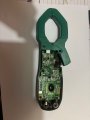
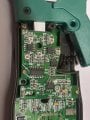
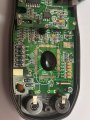
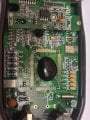
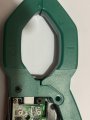
Now please see the attached photos for the internal components I can't locate any fuse that might blow
 

Attachments

MisterBill2

Joined Jan 23, 2018
27,159
It might also be a battery issue. The "once good quality" DURACELL battery products now suffer leakage failures long before the output voltage drops. I have observed this in several different sizes. So a battery connection area examination is a good choice.
 
Top