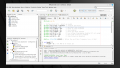
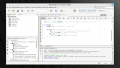
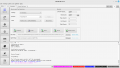
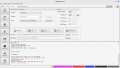
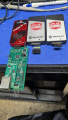
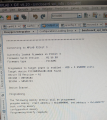
When I program it it gives error. When I read and verify, it programs but the code is changed before programming. I don't understand the hex code error.
mplab's memory is blank, so no programming operation was attempted means the hex was not loaded correctly. That means the programming was not done. Thats why there are errors during verify. You can also check the connections and updated the PK3 firmware to the latest.
Compiling the program complete without error if you mean the ide not the ipe. With the ipe when I read then verify and then program there is no error. I did load the hex file but maybe it's not in the screenshot. When I program without reading and verify first there is an error with the programming and then there's a message before that that the program has changed. That the memory image has changed and if I want to continue programming. I continue programming and then there's that hex code error. Reading then verifying is changing the program before programming. I have a question , what am I really verifying? What am I reading?
mplab's memory is blank, so no programming operation was attempted means the hex was not loaded correctly. That means the programming was not done. Thats why there are errors during verify. You can also check the connections and updated the PK3 firmware to the latest.
I don't have much access to my logical thinking, and can you please tell me how I would update the firmware of the pk3? That sounds like a believable solution. Would I update it through the ipe somehow? The IPe is used to program the microcontroller through the pk3. There are also update messages for the ipe and the IDE but I don't know how to do it. If I went to college things would be easier because you learn complex solutions in an easy way in college. I had to take a different route because of my illness but I learned a lot using my paranoia about the conspiracy to destroy the world. My lack of information is evidence of that.
I don't have much access to my logical thinking, and can you please tell me how I would update the firmware of the pk3? That sounds like a believable solution. Would I update it through the ipe somehow? The IPe is used to program the microcontroller through the pk3. There are also update messages for the ipe and the IDE but I don't know how to do it. If I went to college things would be easier because you learn complex solutions in an easy way in college. I had to take a different route because of my illness but I learned a lot using my paranoia about the conspiracy to destroy the world. My lack of information is evidence of that.
Have you tried using the IDE to program instead of the IPE? If I remember correctly the button at the top with a hammer should give you a few options for programming the chip directly from the IDE instead of messing around with loading into the IPE and such.
Have you tried using the IDE to program instead of the IPE? If I remember correctly the button at the top with a hammer should give you a few options for programming the chip directly from the IDE instead of messing around with loading into the IPE and such.
Programming the microcontroller did not work with the IDE. How would I update the firmware of the pick it3? Other programmers are too expensive to buy for me.
My apologies on that. I was hoping somehow you missing a step that was causing the errors. The bad connection mentioned in post #9 sounds reasonable also. It's happened to me more than a few times.
There’s two ways you can have this problem I have some new jumper wires look nice but they didn’t do a good job crimping the pins so I replaced them all to bare bread board just the chip and it’s loaded fine with five volt power.
Then there’s lose bread board where the chip don’t stay pugged in.
Then you have one more this was just weeks ago
I put chip on bread board put a resistor from vdd
To mclr and guess what I thought I had a 10k it was a 220 ohm these new resistors are hard to read but I pulled if off a pack that said 10k
I got a chip programmed but failed to read back memory address 0x00 but should of been 0x1f
Something like that
Is it possible that the pickit3 could be defective and is there a way to find out if so. I bought it from AliExpress. I uninstalled the MP lab x i PE and IDE and I have to learn how to figure out to install it again. Also I read something about mp lab x being 32 bit and I did not make any changes concerning that when I installed it on my 64-bit system. What could I have missed that I should have done during installation of MP lab X.
True, that! They finally sent patches to make 6.20 better. 6.25 has been really stable for me, with 6.20 the fallback for when I need to use the old ICD-3 that's only used on an old C18 based project.

 Facebook
 Google
 GitHub
 Linkedin