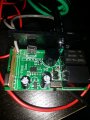
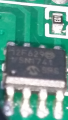
pic12f698 on immobilizer system

Thread Starter

Χρηστος Φοσκας

Joined May 28, 2018
4
hi everyone!i believe i am at the right place...
i bought an immobilizer system to convert it to a keyless entry on a custom motorcycle that i am making,problem is that the seller didnt mention the time delay it has on it.
it works with rfid,when it has 12v on it and the transmitter is out of velosity it turn off after 3 minutes.after some tests i found that if you take off the power supply and reinstall it (like reset) with transmitter out of velosity it still supply power but with less delay (20 seconds).
i unscrew the host module and found that it has a pic12f629 that i believe is the programming chip, would it be easy enough for a newbie to change it so it has no delay(best would be on the reset action where i turn off the motorcycle and and leave then someone can go, turn the switch to "on" and start the engine for 20 seconds)?i've only mess with blown capacitors and resistors on circuits...thats my experiance
 

Attachments

jpanhalt

Joined Jan 18, 2008
11,087
Welcome to AAC.

Do you have the tools to program the chip? At a minimum you will need a Pickit 2, Pickit 3, or Pickit 4 or equivalent. If you have one of those tools, have you tried to read the chip? If it is protected, your chance of modifying the code (unless you have it) to remove the delay is nil. It would be easier to write new code. If you have the code, please post it.

Also. please edit your title to correspond to the chip you have.
 

Thread Starter

Χρηστος Φοσκας

Joined May 28, 2018
4
thank you for the quick reply! (i try to find the option to change the title but i cant find it)i dont have a pickit or any tools needed neither the code but i have the will to learn and the will to buy a programming tool! maybe i can have access to the code via such a tool?or i will have to make a new one? my level of coding is superlow (pseudolocalization through school lesson) but i believe in the unlimited knowledge of the internet and my will to learn
 

jpanhalt

Joined Jan 18, 2008
11,087
To edit the title, go to your first post, click edit, and you will find the option to edit the title. Edit, then save.

DIY is an option, if this is not a one and done project. If it is, then consider visiting a high school or technical/trade school (whatever schools for 18 to 28 year olds are called). There is certainly an embedded course and someone will help/do it for you. I had good luck many years ago when I needed some simple lathe work done contacting the instructor of a trade school who then found a student needing a project.
 

Thread Starter

Χρηστος Φοσκας

Joined May 28, 2018
4
i dont have an edit option at the first post,maybe a moderator can help with the title.
it is all about knowledge,if i can do it and learn something,then why not,thats why i registered here :)
So i start with e pickit 2 or 3 or 4? is there a better choice for the chip i have or any of those can do the job? i find it super interesting to be able to program stuff like that!maybe later i can make my own rfid circuit or a fingerprint start button relay on a motorcycle!
 

jpanhalt

Joined Jan 18, 2008
11,087
There are lots of choices for programmers. The Pickit is made by the same manufacturer as the chip. There are knockoffs and other designs available. For a first timer, I think you will save headaches going with the real Pickit (not an eBay counterfeit). The PK 2 was the earliest version. Some people still prefer it. I have the PK3 and just recently, Microchip came out with the PK4. ICD3 and PicStart Plus will also program that chip. The ICD3 is more expensive. The PicStart Plus is older (I still have one), but it will not work with the newer chips. 5 pins are needed to program an chip in circuit like you have. I notice a 5 pin header (solder pads) just abouve the chip. That might be what was used. "Pogopins" (spring loaded pins) can be used to make contact. In yourcase, if that is the correct "ICSP" connection, I would use solder wick to remove the solder and add a 5-pin header for programming. Before doing any of that download the datasheet from Microchip.com and test those 5 pads.

Here are the pinouts:
upload_2018-5-28_19-31-0.png

Pin 4 should have a direct connection to one end or the other of the 5 pads. The next pad should be VCC (V+, pin1), the next GND (pin 8), then DAT (pin 7) and CLK (Pin6). If those 5 pads match the pins I have mentioned, then you will be good to go.

John
 
Top