PIC Assembler 12 Bit Instruction Device Family Shop Talk

Thread Starter

PICNewbee

Joined Mar 31, 2017
355
Papabravo

'actually read any of the material from Microchip;

You betcha.

Been working on New Project. MPLAB IDE and X.

I finally got it about right clicking source file in left window to get 'Add New File'.

Then adding device template. A copy of template to be exact.

Let me look at template tutorial and see about some questions.

Edit: Are there other ways to open a source file in MPLAB 8 or X ?
 
Last edited:

Papabravo

Joined Feb 24, 2006
22,105
Papabravo

'actually read any of the material from Microchip;

You betcha.

Been working on New Project. MPLAB IDE and X.

I finally got it about right clicking source file in left window to get 'Add New File'.

Then adding device template. A copy of template to be exact.

Let me look at template tutorial and see about some questions.

Edit: Are there other ways to open a source file in MPLAB 8 or X ?
From your original post I thought you were interested in understanding the device. If you're already past that and onto the development environment then mazel tov.
 
When you want to program in Assembler the first is to understand the all Instructions in details, how the change the main registers: Working reg, Status and Program counter.
Enhanced midrange have vluable advantages against old midrange: Extra Instructions as add with carry, two indirect registers and last but not least automatic register saving at interrupt.

PIC micros have real traps when programming in Assembler even when you are good in Assembler for other µC families. Banking of RAM and peripherals is one and paging of Flash is the other. Both came from saving Instruction word length and may be valuable for very small µC. But makes no sense if you need many banks and more pages. The extra Instructions to switch the bank or to use a call to another page will need code and execution time. You can check this easily by counting the extra Instructions at a structured program using several pages.
 

Thread Starter

PICNewbee

Joined Mar 31, 2017
355
Thank you Papa Bravo

'thought you were interested in understanding the device'

That was to let people know what they are in for. Being up front. Honest about it.

Current tutorial uses 10F200, 12f508 and 12F509 at the beginning.

Plenty of disclaimers in tutorial about how there are more current devices available.

New tutorial appears to use 16F84A. Author sent me email today saying he stands by that

device to learn with.

'We're going in!'
 

Thread Starter

PICNewbee

Joined Mar 31, 2017
355
magicChristian Thank you.

'real traps when programming in Assembler'

'Banking of RAM and peripherals'. 'paging of Flash is the other'.

Forewarned is forearmed.

About my question.

Is copying a template the only way to start a source file?


'
 

Thread Starter

PICNewbee

Joined Mar 31, 2017
355
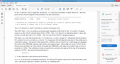
This is the kind of thing that throws me off.

First he says TRIS and OPTION are special function registers.

Then in next section on I/O it changes to TRIS and GPIO.

I caught the transition this time. These sudden changes are hard to keep up with.
 

JohnInTX

Joined Jun 26, 2012
4,787
OPTION_REG, TRIS and GPIO are3 different registers with 3 different functions. The names/functions are different between the 10F and the F84A.

OPTION is a write only register with its own instruction on 10F. OPTION_REG is similar on the F84A but it is mapped to the SFRs and you use movwf to write it.

TRIS is an instruction that sets the GPIO pin direction on the 10F. On the F84A, TRISA, TRISB are pin direction registers for the two ports and are mapped in RAM. You use movwf to set those, too.

Which PIC are you going to concentrate on?
 
Last edited:

Thread Starter

PICNewbee

Joined Mar 31, 2017
355
Thank you John

'Which PIC are you going to concentrate on?'

10F200. That's the one in current turorial.

Thank you Papa Bravo

'you can start a file from scratch without using the training wheels.'

Thought so.
 

Thread Starter

PICNewbee

Joined Mar 31, 2017
355
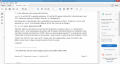
This is a rough first instruction.

I was expecting something simple.

Okay. I will come up the first thing I don't understand.

I got the first couple of sentences. They are just stating facts.

Need help from where it says 'But there is no code...' on.
 

Papabravo

Joined Feb 24, 2006
22,105
They are telling you that a particular instruction will go at location 0xFF in the processor's CODE memory. That is the memory that instructions are fetched from. The instruction will be a "movlw k" instruction where k is some literal number in the range 0 to 255 that will be used to adjust the RC oscillator to be as close to 4 MHz. as possible. To find out how that instruction gets there and what value of k is used you have to dig deeper.

It is also important to understand that after executing the instruction at address 0xFF, the next instruction will be fetched from location 0x00. The 8-bit program counter rolls over from the maximum unsigned positive 8-bit number 0xFF = 255 to the minimum unsigned 8-bit number 0x00 = 0
 

Thread Starter

PICNewbee

Joined Mar 31, 2017
355
Papabravo Thank you.

Our posts crossed.

'To find out how that instruction gets there and what value of k is used you have to dig deeper'

That is a good take on that.

'processor's CODE memory.'

CODE memory. I like it.
 
Last edited:

Thread Starter

PICNewbee

Joined Mar 31, 2017
355
Papabravo

"0xFF"

Two things about that for an ignorant person like myself had to figure out.

I believe Assembler want to see 0x in front of a hex number.

Also. Found FF on my CCS Ascii chart. It is decimal number 255.

I get the rest of what you said.
 

Thread Starter

PICNewbee

Joined Mar 31, 2017
355
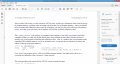
There is more.

Let me upload two more screen shots first.

That will finish this section.

He actually does explain a few things pretty good.
 

Thread Starter

PICNewbee

Joined Mar 31, 2017
355
If anybody wants to comment on this. Fine.

I will go at it again in the AM fresh.

Thank you all for the help.

Have made a huge amount of progress thanks to you.
 

Thread Starter

PICNewbee

Joined Mar 31, 2017
355
Next action item:

New Project

Clean up template.

Delete sample variable code.

Delete sample program in it.

Add 'Light an LED' code

Compile.

Programming breadboard with 12F509 is all built. Just needs LED added.

Goal today is just get program written.
 
Top