hi,
My point is the program time required to Read and process 5 GPS messages per Second, if a one second rate is acceptable, while trying to Read two other input sources.
hi,
My point is the program time required to Read and process 5 GPS messages per Second, if a one second rate is acceptable, while trying to Read two other input sources.
Hi E,
It would only READ 1x message, (NOTE) then PARSE it, then switch the DATASWITCH to the next input, and so on. With 5x/sec messages, there is more chance of a message being there when it 'looks' at the GPS DATA.
NOTE: (this is the point where I previously switched off the INTERRUPT, but now know I add a FLAG instead)
C
Hi E,
It would only READ 1x message, (NOTE) then PARSE it, then switch the DATASWITCH to the next input, and so on. With 5x/sec messages, there is more chance of a message being there when it 'looks' at the GPS DATA.
NOTE: (this is the point where I previously switched off the INTERRUPT, but now know I add a FLAG instead)
C
Could you once more explain which messages are received by the drone,which are sent from the drone.
The same for the base station
I remember that two years ago we were talking about flight control message ( servo controls) from base to to drone ?
Is it still actual?
Could you once more explain which messages are received by the drone,which are sent from the drone.
The same for the base station
I remember that two years ago we were talking about flight control message ( servo controls) from base to to drone ?
Is it still actual?
Hi J,
The BASE (Transmitter with joysticks and incremental encoder [QEIDEG] ), needs to send some kind of intructions to the REMOTE (DRONE), and the REMOTE needs to send information e,g, Battery voltage, back to the REMOTE.
The BASE PCB and the REMOTE (DRONE) PCBs, are almost identical, the BASE has transmitter controls, and an INCREMENTAL ENCODER for dialing DEGREES. The IE, is READ via an18F4431 (QEIDEG). The REMOTE has motor/servo controls etc. Both PCBs are capable of READing all peripherals, if nessesary.
(e,g, If the BASE INCREMENTAL ENCODER is turned to 90DEG, then the REMOTE should turn 90DEG)
At the moment I am mainly concentrating on the BASE. This receives peripheral DATA via SPI or SERIAL. As the SERIAL DATA would clash there is a DATASWITCH, that switches between the GPS, REMOTE and the 4431 (QEIDEG).
The DATA of the 1st SERIAL is READ and placed in BUF1, it is then PARSED and put in VARIABLES, then after PARSE the DATA from the 2nd in the series is READ, then 3, then back to 1, and keep repeating.
I'm not actually sure what form any of the control/reply information will look like yet. I have to get all of the peripherals to be READ acurately first.
Hi,
I was talking to a couple of mates on a radio net this morning, two of us are learning SPICE PCBS analysers.
One of them is clever at programming and the other an expert, and I mentioned that I was having difficulty with INTERRUPTs. The subject of FIFO circular buffers cropped up, and they baffled me with the explanation, but it sounded interesting. At risk of making my life even more complicated, I would like to ask, should I carry on with the way we have discussed, or should I have a go at learning FIFO. Don't worry, they will teach me, so you won't be burdened
Hi,
There was no reply to my question in #126, but I'll try another:
I have been trying to understand buffers, as as mentioned a friend introduced me to RING BUFFERS. I've made one and now understand them better.
Can anyone tell me the advantages or disadvantages to RING BUFFERs against LINEAR BUFFERS. And to anyone following my recent threads, would a RING BUFFER be an improvement? I'm using an 18LF4620 PIC, and am considering whether there may be issues of using more RAM, for example.
C.
Can anyone tell me the advantages or disadvantages to RING BUFFERs against LINEAR BUFFERS. And to anyone following my recent threads, would a RING BUFFER be an improvement? I'm using an 18LF4620 PIC, and am considering whether there may be issues of using more RAM, for example.
First consider that each implements FIFO (First In First Out) buffer i.e. if you write A then B then C in the buffer, then reading the buffer 3 times gets you A then B then C out - one by one. Note that in a FIFO you only write or read one character at a time.
The distinction between LINEAR and RING buffer is kind of bogus here. You think of the FIFO as a linear pipe that you push characters into one end and retrieve them in order on the other end. The distinction is how you would implement the FIFO function.
If you used a straight LINEAR buffer you'd start with a one dimensional array of characters. When you wrote the first character 'A', you would put it into array[0]. Then when 'B' came along, you would MOVE the previous 'A' to array[1] and store the 'B' into array[0] and so on.
For a partially full buffer, you'd also have to keep track of where the 'A' was so that when you read the buffer, you'd be able to find it. Different rules would apply for partially filled vs. full buffers. If that sounds messy, you're right.
A RING buffer (I prefer 'circular queue') is the most common way to implement the FIFO function in software. You still use the array of characters to store the data but once written, the data does not move. Instead you use two pointers (indexes into the array), one to keep track of the 'PUT' (write) location and the other to keep track of the 'GET" (read) location. Let's start.
First the array is declared - let's say it's 4 characters long.
Then you declare two variables to act as the INx and OUTx indexes.
Start with both indexes at 1 (for BASIC). Note here that if INx == OUTx, the buffer is empty.
Now receive and PUT the 'A'. You write to array[INx] (the first element to start), then you increment INx. Note that INx <> OUTx so the buffer is not empty.
Next receive 'B' and PUT it. Like before you write to array[INx] (array[2] now) and increment INx. INx == 3 now.
Next receive 'C' and PUT it. You write to array[3] and increment INx. INx now == 4.
You have buffered ABC.
Time to read. The GET routine returns the character at array[OUTx] then increments OUTx.
The first call to GET returns array[OUTx] (array[1]) which is the ('A')
The next call to GET returns array[2] ('B') - because each call to GET increments OUTx of course
The next call to get returns array[3] ('C') of course
Note at this point INx == OUTx and the buffer is again empty i.e. everything that was PUT has been GET. The indexes do not have to be at 1 for the buffer to be empty, they just have to be equal.
Now receive and PUT a 'D'. That goes into array[4] from where we left off above. Increment the index INx to 5. BUT! The array is only 4 characters long so it is necessary to RESET the index to 1. This is called WRAPPING the index or pointer and is what makes this a RING buffer. The end of the buffer is logically connected back to the beginning by wrapping the indexes when they get past the end.
Next receive an PUT a 'E'. it will go into array[INx] which is array[1] from the wrap. The contents of the array are" E B C D where the boldface represents unread characters and normal represents left over values that have been read and can be overwritten. At this point, OUTx = 4 and INx=2 to indicate that the next character to get is at array[4] and the next character will be put at array[2] and overwrite the old 'B'.
Round and round it goes. Nice.
There is one more issue to consider and that's how do you know when the buffer is full? In the example buffer above if the buffer was E B C D
(only the 'A' was read) with OUTx = 2 and INx also = 2 (same as an empty buffer!) the next character will overwrite the 'B' and your data is corrupt. It's important to know this so you use some logic to detect the full and empty condition. Something like:
If the indexes are equal after a GET, the buffer is empty.
If the indexes are equal after a PUT, the buffer is full.
Set/clear a flag to remember the result.
You also can use another variable to count the characters in the buffer. This approach has the advantage of being able to report the number of characters in the buffer without having to take the wrapping into account in your arithmetic.
That's how it is done. A FIFO is incredibly useful (and required IMHO) for serial reception to allow characters to be received and stored while you are off processing. A FIFO allows the program to work at different speeds from the comms rate by storing characters received until you can get around to processing them. Note that the OVERALL processing rate MUST be greater than the character rate or you'll need some sort of flow control. But an interrupt driven FIFO on a UART will pay handsome dividends in any case. FWIW, I ALWAYS, without exception, use one for both RX and TX in everything I do.
I don't know if OSHENSOFT provides a buffered UART function but you can write one something like this:
Code:
Interrupt routine:
 if (RXIF)
   if(OERR)
     reset UART
     set COMMS_ERROR
   else
     PUT (RXBUF) // will set COMMS_ERROR on overflow)
   RXIF = 0;


Read routine:
  if(Buffer Count >0)
  disable_UART_interrupt // to get full control of buffer and indexes temporarily
  char = GET; // access buffer
  enable_UART_interrupt // resume RX.
  process char into NEMA sentance
  else
    nothing to do.
I hadn't noticed that this thread had morphed into ring (FIFO) buffers vs. linear buffers until now.
To me the differences are:
1) With linear buffers, you know the location of every byte.
2) With FIFO buffers, you know the relative location of every byte.
3) FIFO buffers require a little more "housekeeping" but are never full.
4) Linear buffers can get full. Then what?
5) Linear buffers can be any size. Size doesn't matter.
6) FIFO buffers are usually 2^n size as that makes turning the corner simpler -- at least in Assembly (Actually they can be any size too, but it adds at least one instruction to turning the corner in Assemby).
First consider that each implements FIFO (First In First Out) buffer i.e. if you write A then B then C in the buffer, then reading the buffer 3 times gets you A then B then C out - one by one. Note that in a FIFO you only write or read one character at a time.
The distinction between LINEAR and RING buffer is kind of bogus here. You think of the FIFO as a linear pipe that you push characters into one end and retrieve them in order on the other end. The distinction is how you would implement the FIFO function.
If you used a straight LINEAR buffer you'd start with a one dimensional array of characters. When you wrote the first character 'A', you would put it into array[0]. Then when 'B' came along, you would MOVE the previous 'A' to array[1] and store the 'B' into array[0] and so on.
For a partially full buffer, you'd also have to keep track of where the 'A' was so that when you read the buffer, you'd be able to find it. Different rules would apply for partially filled vs. full buffers. If that sounds messy, you're right.
A RING buffer (I prefer 'circular queue') is the most common way to implement the FIFO function in software. You still use the array of characters to store the data but once written, the data does not move. Instead you use two pointers (indexes into the array), one to keep track of the 'PUT' (write) location and the other to keep track of the 'GET" (read) location. Let's start.
First the array is declared - let's say it's 4 characters long.
Then you declare two variables to act as the INx and OUTx indexes.
Start with both indexes at 1 (for BASIC). Note here that if INx == OUTx, the buffer is empty.
Now receive and PUT the 'A'. You write to array[INx] (the first element to start), then you increment INx. Note that INx <> OUTx so the buffer is not empty.
Next receive 'B' and PUT it. Like before you write to array[INx] (array[2] now) and increment INx. INx == 3 now.
Next receive 'C' and PUT it. You write to array[3] and increment INx. INx now == 4.
You have buffered ABC.
Time to read. The GET routine returns the character at array[OUTx] then increments OUTx.
The first call to GET returns array[OUTx] (array[1]) which is the ('A')
The next call to GET returns array[2] ('B') - because each call to GET increments OUTx of course
The next call to get returns array[3] ('C') of course
Note at this point INx == OUTx and the buffer is again empty i.e. everything that was PUT has been GET. The indexes do not have to be at 1 for the buffer to be empty, they just have to be equal.
Now receive and PUT a 'D'. That goes into array[4] from where we left off above. Increment the index INx to 5. BUT! The array is only 4 characters long so it is necessary to RESET the index to 1. This is called WRAPPING the index or pointer and is what makes this a RING buffer. The end of the buffer is logically connected back to the beginning by wrapping the indexes when they get past the end.
Next receive an PUT a 'E'. it will go into array[INx] which is array[1] from the wrap. The contents of the array are" E B C D where the boldface represents unread characters and normal represents left over values that have been read and can be overwritten. At this point, OUTx = 4 and INx=2 to indicate that the next character to get is at array[4] and the next character will be put at array[2] and overwrite the old 'B'.
Round and round it goes. Nice.
There is one more issue to consider and that's how do you know when the buffer is full? In the example buffer above if the buffer was E B C D
(only the 'A' was read) with OUTx = 2 and INx also = 2 (same as an empty buffer!) the next character will overwrite the 'B' and your data is corrupt. It's important to know this so you use some logic to detect the full and empty condition. Something like:
If the indexes are equal after a GET, the buffer is empty.
If the indexes are equal after a PUT, the buffer is full.
Set/clear a flag to remember the result.
You also can use another variable to count the characters in the buffer. This approach has the advantage of being able to report the number of characters in the buffer without having to take the wrapping into account in your arithmetic.
That's how it is done. A FIFO is incredibly useful (and required IMHO) for serial reception to allow characters to be received and stored while you are off processing. A FIFO allows the program to work at different speeds from the comms rate by storing characters received until you can get around to processing them. Note that the OVERALL processing rate MUST be greater than the character rate or you'll need some sort of flow control. But an interrupt driven FIFO on a UART will pay handsome dividends in any case. FWIW, I ALWAYS, without exception, use one for both RX and TX in everything I do.
I don't know if OSHENSOFT provides a buffered UART function but you can write one something like this:
Code:
Interrupt routine:
if (RXIF)
   if(OERR)
     reset UART
     set COMMS_ERROR
   else
     PUT (RXBUF) // will set COMMS_ERROR on overflow)
   RXIF = 0;


Read routine:
  if(Buffer Count >0)
  disable_UART_interrupt // to get full control of buffer and indexes temporarily
  char = GET; // access buffer
  enable_UART_interrupt // resume RX.
  process char into NEMA sentance
  else
    nothing to do.
Hi JT,
It takes a bit of following, but things are going 'in', thanks.
I note the = for full or empty checking.
I'm having trouble with terminology, and have to settle on 'my' terms. e,g, put, get, in, out, head, tail etc.
So far I've got the INTERRUPT BUFFER LOOP working so, all of the RX bytes are being stored in a circle, and at the moment over laying the TAIL with the HEAD, as nothing is 'eating' them yet. Today I'm working out 'get'ing them.
C.
I hadn't noticed that this thread had morphed into ring (FIFO) buffers vs. linear buffers until now.
To me the differences are:
1) With linear buffers, you know the location of every byte.
2) With FIFO buffers, you know the relative location of every byte.
3) FIFO buffers require a little more "housekeeping" but are never full.
4) Linear buffers can get full. Then what?
5) Linear buffers can be any size. Size doesn't matter.
6) FIFO buffers are usually 2^n size as that makes turning the corner simpler -- at least in Assembly (Actually they can be any size too, but it adds at least one instruction to turning the corner in Assemby).
Hi JP,
At the moment, with my linear buffers, I've tried overwriting them and erasing them, there doesn't seem much difference in the result.
I think I'm nearly 'there' with RING BUFFERS and can see their use, and probably, I'll adopt them. I'll post my program, hopefully soon.
C
Hi,
Earlier, I was advised to check the ISR, using the Oshonsoft Sim. How do I do that, please.
I want to check the % of INTERRUPT against the % of MAIN LOOP.
C
Hi,
Earlier, I was advised to check the ISR, using the Oshonsoft Sim. How do I do that, please.
I want to check the % of INTERRUPT against the % of MAIN LOOP.
C
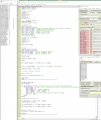
Put a BREAK in ISR before Save system and after Resume.
In the IDE window there is small hatch for the real execution time.
Zero it with a mouse click after the first breakpoint and at the second point you can see the time spent in the ISR
I checked the simplest ISR and it takes ~ 40us with 8MHz clock.
At 9600bd the ISR is executed once at ~ 1ms or 1000us -> 40/1000 = 4%
Put a BREAK in ISR before Save system and after Resume.
In the IDE window there is small hatch for the real execution time.
Zero it with a mouse click after the first breakpoint and at the second point you can see the time spent in the ISR
I checked the simplest ISR and it takes ~ 40us with 8MHz clock.
At 9600bd the ISR is executed once at ~ 1ms or 1000us -> 40/1000 = 4%
Here's a concrete example of where I found a FIFO buffer useful. I have pretty much completed coding and am at the building stage of a temperature monitoring device. The screen size is roughly 64x64 (i.e., half of a 132x64 GLCD).
Since a wide range of temperature and time are recorded, I need to scroll up/down and to the right as temperature or time gets past the screen limits. The buffer always has up to 64 data points. When I need to scroll temperature, I just change temperature offset(s) and re-draw the entire screen. For scrolling time, I just reset the start pointer without having to move any data and re-draw. It's SPI interface to the display at Fosc /16 (can go faster), so that takes very little time ( a couple of ms). FIFO avoids needing to shift any data in the buffer registers. (The reason it takes so long is that I store raw values in the buffer registers and need to recalculate each GLCD byte with a re-draw.)
Here's a concrete example of where a found a FIFO buffer useful. I have pretty much completed coding and am at the building stage of a temperature monitoring device. The screen size is roughly 64x64 (i.e., half of a 132x64 GLCD).
Since a wide range of temperature and time are recorded, I need to scroll up/down and to the right as temperature or time gets past the screen limits. The buffer always has up to 64 data points. When I need to scroll temperature, I just change temperature offset(s) and re-draw the entire screen. For scrolling time, I just reset the start pointer without having to move any data and re-draw. It's SPI interface to the display at Fosc /16 (can go faster), so that takes very little time ( a couple of ms). FIFO avoids needing to shift any data in the buffer registers. (The reason it takes so long is that I store raw values in the buffer registers and need to recalculate each GLCD byte with a re-draw.)
Hi, RE: Ring buffer
I've got the INTERRUPT, filling the endless Buffer loop.
I've got the 'snake' HEAD and TAIL in their VARIABLES.
Next I've got to figure out how to increment through the 'snake' when the TAIL can be less than the HEAD if it has gone round the Buffer loop. Any clues for this step welcome.
C.
Hi E,
Ahah! I think I asked this question, with no reply, so I carried on with ring buffers. Actually you made me a ring buffer program for averaging, a couple of years ago on ETO.
Regarding my #137 question. I may have answered it. As the READ loop is incremented, and goes over to '0' at the top, and as long as I don't < or > the HEAD and TAIL and only check by =, then I may be able to figure it out.
I'll carry on with RBs for now as I've come this far.
C

 Facebook
 Google
 GitHub
 Linkedin



 '
'