Netbook only works when screen cable is unplugged

Thread Starter

rambomhtri

Joined Nov 9, 2015
606
Hi, a friend of mine handed me a "broken" netbook and since I'm "that friend" that fixes everything because knows everything and does it for free because he enjoys fixing things :confused:, I'm trying to fix it.

Well, first, it's a small netbook that has no removable battery apparently, it's all slim, solid and compact.

So, I plug in the cord and I notice not a single light turns on: not the battery/charger LED, not the power LED, nothing. That's weird. I guess it's the battery that's failing, so I disassemble the netbook completely, remove the battery, which luckily was not soldered, and all the other cables until I only have the motherboard.
So I unplugged: the lateral USB, HDMI... interfaces from both sides, the WiFi card, the screen cable, HDD, the battery cable, touch pad and keyboard.

Then I plug in the power cord and this time the battery/charger LED turns on. I push the ON button and the power LED also lights up, plus all the others. WOW, amazing!

Then, first step is to see what's going on, so I connect the screen cable. Plug in the cord again, and this time the battery/charger LED doesn't turn on, and the netbook again appears to be fully dead. So, I assemble it again, all cables plugged, except the screen cable, and this time everything seems to work fine again. So clearly it's something related to the screen cable.

How can I troubleshoot this?
How is it even possible that the battery/charger LED does not light up when the screen cable is plugged in?

I could buy a new screen, but I don't want to unless I'm sure it's the screen.
 
Last edited:

spinnaker

Joined Oct 29, 2009
7,830
Ah that kind of cable. I assume then it is connected to the screen? Perhaps replace the scree. It might come with a new cable. But by the time you do that it might just be easier to buy a new netbook.
 

Thread Starter

rambomhtri

Joined Nov 9, 2015
606
The screen is a touch screen, and it costs about $100. If it's just the screen, it's worth it to buy it and replace it, but if it's not, a hundred bucks are a lot of money to waste.

So I ask you what can I do to troubleshoot it, to make sure the screen is defective and not anything else. For now I can say it's just the screen because if I unplug the screen cable but the rest of the cables are plugged in, then the netbook works. So, as far as I can tell, I believe the problem starts and ends in the screen cable. It could be something after the cable, or the cable itself.

Also, I've checked and the screen replacement doesn't seem to have a cable, it's just the screen with some connectors. So I guess the cable is not included and is a separate part. I have not yet disassembled the touch screen.
 

spinnaker

Joined Oct 29, 2009
7,830
The screen is a touch screen, and it costs about $100. If it's just the screen, it's worth it to buy it and replace it, but if it's not, a hundred bucks are a lot of money to waste.

So I ask you what can I do to troubleshoot it, to make sure the screen is defective and not anything else. For now I can say it's just the screen because if I unplug the screen cable but the rest of the cables are plugged in, then the netbook works. So, as far as I can tell, I believe the problem starts and ends in the screen cable. It could be something after the cable, or the cable itself.

Also, I've checked and the screen replacement doesn't seem to have a cable, it's just the screen with some connectors. So I guess the cable is not included and is a separate part. I have not yet disassembled the touch screen.

From your post I would assume it does disconnect at both ends. I would first inspect the cable very carefully and look for any signs of damage. I would then inspect the screen side of the connector for solder bridges. If you are really lucky you will find a bit of lose solder somewhere,.

After that try a continuity test of the cable from end to end and then between adjacent pins at one or both ends.
 

Thread Starter

rambomhtri

Joined Nov 9, 2015
606
Thank you!
How should I proceed?

I have a multimeter, but where exactly should I put the probes to check shorts?

I can check the cable itself by connecting it to both sides and check continuity from the soldered pin of the female at the mobo to the pin of the screen. Each pin should short with just one pin, its opposite one, right?
 

spinnaker

Joined Oct 29, 2009
7,830
Exactly as I told you.

First test.
1. Put one probe on one pin.
2. Put the other probe on one or more adjacent pins
3. Move to the next pin and sart all over until all pins are checked.


Second test.
1. Put one probe on pin at one end of cable.
2. Put probe on corresponding pin at other end.
3. Move to the next pin and sart all over until all pins are checked.

Third test.
Visually inspect the soldered pins at both ends for any shorts (you should probably that first). also check traces right nearby the connextor.


It is best to check the cable disconnected. Without the schematic, it would be hard to tell if "shorts" aren't supposed to be there. But you can certainly check both ways. You should at the very least check cable with it fully disconnected.
 

Thread Starter

rambomhtri

Joined Nov 9, 2015
606
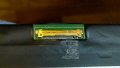
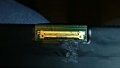
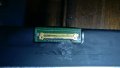
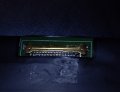
Hey, I've just disassembled the screen and look what I found!
Screen cable (1).jpg Screen cable (2).jpg Screen cable (3).jpg Screen cable (4).jpg Screen cable (5).jpg Screen cable (6).jpg

Sorry for the quality of some of the pictures, smartphones are nice to take full scene pictures, but when focusing on small objects they really get on my nerves, they won't focus. Anyways, that thing on the right really looks like a short, doesn't it?

How can I repair that? I'd love it and feel really happy if I could be able to repair a fully dead netbook.

Oh, by the way, the owner of the netbook just told me that what happened was that the netbook was inside a case, the case fell to the water, and quickly they took it out of the water. However, when they turned it on it was not working. Looks like water shorted that, right?

I've always been kind of surprised about how could water damage a board. I know water conducts electricity, but I mean, it's not copper. I don't know how a drop of water could short something. Are there any videos about how water really shorts and kills a circuit board?
 
Last edited:

spinnaker

Joined Oct 29, 2009
7,830
Hey, I've just disassembled the screen and look what I found!
View attachment 164313 View attachment 164314 View attachment 164315 View attachment 164316 View attachment 164317 View attachment 164318

Sorry for the quality of some of the pictures, smartphones are nice to take full scene pictures, but when focusing on small objects they really get on my nerves, they won't focus. Anyways, that thing on the right really looks like a short, doesn't it?

How can I repair that? I'd love it and feel really happy if I could be able to repair a fully dead netbook.
Really hard to see. But looks like a solder bridge to me. But it was not what I expected. I would have expected a very small blob of solder (more of a ball) that migrated from somewhere where it was not causing an issue to some place causing the short.

I would first note what pins are shorted. Then just use a soldering iron to remove the "solder bridge" using a solder sucker and/or some solder braid. Be careful not to damage the pads.
 

Thread Starter

rambomhtri

Joined Nov 9, 2015
606
Yeah, hahaha, it was a critique aimed to those friends and relatives that think us tinkerers and fixers know how to fix everything and we are so good and enjoy our work so much that it's clear it's our hobby and we do it for free.

In order to make it clear, there are 3 parts: the screen cable, the screen female where the cable plugs and the MoBo female where the cable also plugs.

OK, so, since the screen female area looked "burnt" and bad (pictures), I checked the pins for contuinity and many of them were shorted (which sounds weird, because then, why would you use different pins to short them later?), even those that looked perfectly fine and were separated. I re-soldered all the bad looking pins as good as I could, but I'm a beginner at working on such small stuff and really did not feel in control. It was almost impossible to suck the solder because all was very tiny. I managed more less to make it better, I guess.

I plugged in the screen cable to the screen, the other side of course in the MoBo, and same behavior; turn on the netbook and no LED lights up, completely dead.

I then unplug the cable from the screen female, turn it on and I start to see smoke. The screen cable at the screen end destroyed itself, right in the pins, at the very tip.
:(

What could that mean?
If it was shorted it should have burned when it was plugged in the screen. Now I fear the screen was alright and the MoBo is sending way more voltage/amps to the screen.
 
Last edited:

spinnaker

Joined Oct 29, 2009
7,830
No it means something is still shorted. Time for a new screen and cable I guess. But you still can't be certain that is all that is wrong. I could be the short is on the mobo side but only creates a problem when cable is connected.

Buy a new screen and cable. But you would be taking a gamble.
 

Thread Starter

rambomhtri

Joined Nov 9, 2015
606
Wait I could check the voltage of the pins in the female MoBo end. If only I could find what values should I read... Where do professional technicians get that information from?

I think the screen is going to cost about $100, and the cable is "weird" because it's not just for the screen, but also for the mic and webcam. It divides in two and it's quite long. I don't even know where to find that cable.
 
Top