I have many devices, but am able to spread them out over 3 routers. One router has about 5 devices (TV, Desktop, VOIP phone, Macbook, cell phone, hobby room desktop - all wireless).
Second router has less, perhaps 2 laptops at a time. Used more for testing.
Main router has all the other junk, 3 wired printers, 1 wired scanner, web server, desktop, TV, 2 or 3 laptops and probably an item or two I'm forgetting about. I help others fix up their computers, so often there is another desktop or laptop online as well. All network switches in the house are gigabit speeds.
I have no conflicts or bandwidth issues. Each router has its own public IP address, all fed through a dedicated 100Mbps ISP wireless link to a tower fed with a high speed fiber optic link.
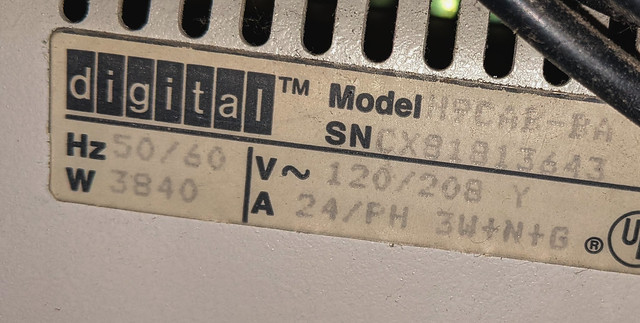
But, my apologies to nsaspook, that rack is NOT “sick”; but it does make me ill.
There is no cable management. Power and network cables are intermixed. Front panel removable storage is blocked. You can’t see status displays. Equipment removal and/or maintenance will be difficult because rack access is blocked. I’d fire the guy who set this up. And I used to have a rack in my home that didn’t have all these problems.
OTOH, if I had a client with this rack, I’d be rubbing my hands together in glee. All I’d see then are $ signs fora contract to remediate this situation.
But, my apologies to nsaspook, that rack is NOT “sick”; but it does make me ill.
There is no cable management. Power and network cables are intermixed. Front panel removable storage is blocked. You can’t see status displays. Equipment removal and/or maintenance will be difficult because rack access is blocked. I’d fire the guy who set this up. And I used to have a rack in my home that didn’t have all these problems.
OTOH, if I had a client with this rack, I’d be rubbing my hands together in glee. All I’d see then are $ signs fora contract to remediate this situation.
1 x Gateway/cable modem
3 x Laptops
2 x Desktops
3 - 15 smartphones depending on which child/grandchild/other family member/friend is here
1 x Security/alarm
8 x POE CCTV camera
1 x POE doorbell camera
1 x NVR
4 x TV
1 x Virgin Tivo box
2 x BluRay players
1 x Solar panel inverter
1 x Genius heating controller
1 x Doorlock controller
1 x Water Pressure monitor
1 x 7Kw EV Charger monitor
1 x Wheelchair LiFe battery monitor
1 x Wheelchair LiFe Charger controller/monitor
Various ancillary RPi/ESP32/ESP8266/etc depending on current projects in development
That excludes the seperate 868Mhz ZWave network...
1 x Gateway/cable modem
3 x Laptops
2 x Desktops
3 - 15 smartphones depending on which child/grandchild/other family member/friend is here
1 x Security/alarm
8 x POE CCTV camera
1 x POE doorbell camera
1 x NVR
4 x TV
1 x Virgin Tivo box
2 x BluRay players
1 x Solar panel inverter
1 x Genius heating controller
1 x Doorlock controller
1 x Water Pressure monitor
1 x 7Kw EV Charger monitor
1 x Wheelchair LiFe battery monitor
1 x Wheelchair LiFe Charger controller/monitor
Various ancillary RPi/ESP32/ESP8266/etc depending on current projects in development
That excludes the seperate 868Mhz ZWave network...
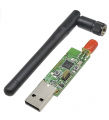
I have two Zigbee networks; one for Hue and one for Smarthings. I recently got one of these, along with this, and this.
I loaded tip the TI software (available from their developer site) and was able to sniff and diode the Zibee packets. I want to load some alternative firmware on it, it can transmit as well.
I have two Zigbee networks; one for Hue and one for Smarthings. I recently got one of these, along with this, and this.
I loaded tip the TI software (available from their developer site) and was able to sniff and diode the Zibee packets. I want to load some alternative firmware on it, it can transmit as well.
The ZWave is primarily for the heating system. Every room has a ZWave valve and wall thermostat, plus various smart plugs. There is ZWave gateway on the LAN as I also have some Fibaro switch modules installed in certain switches around the house so I can remotely turn on/off specific lights, eg the security lights, my bedroom and study/office/workshop, etc to save having to rewire to make them easily wheelchair accessible. The lights are controlled by my own-built Android app on the phone which also links to the IP Cameras.
Hmmm, left the gateway off the list, as well as the powerline adaptors and the Zyxel dual-band wifi access point... the list goes on!

 Facebook
 Google
 GitHub
 Linkedin