Arduino reading double-din radio volume rotary dial knob

Thread Starter

StealthRT

Joined Mar 20, 2009
317
Hey all I bought a Chinese double din radio in order to modify it to my liking. The main reason why i went with this one is that it had a few buttons and turn knobs on the front and i wanted to use an Arduino in order to "read" this inputs in order to do stuff within my software program.

However, I am not quite sure what I need to check in order to find out how to go about hooking up the rotary dial knob buttons to the arduino so that i can read each "click" that it makes. They also have a push button mode when you press on the front of the rotary dial.

As a side note I will be supplying the power to these so nothing on the board will be used except the physical rotary dial - aside from a few resisters it seems as well.

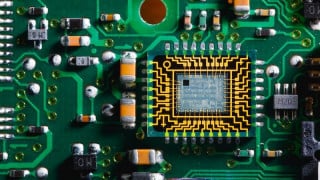
Here are a few images of the pcb layout:


And knowledge would be great as to how to go about hooking this up to read by the arduino :)
 

MrChips

Joined Oct 2, 2009
34,725
Tell us more about the operational functions of the rotary knob.

Does it have a switch function? Does it click when you turn it fully counter-clockwise? Or does it click when you press on the knob?
What is the result of the on/off switch feature if there is one?

What is the effect of the rotary function? Is it used to adjust volume level?
 

Thread Starter

StealthRT

Joined Mar 20, 2009
317
It clicks when you press on the knob.

It does control the volume originally. Its a continuous turning knob that have "clicks" each time you turn it left or right.
 

Tonyr1084

Joined Sep 24, 2015
9,744
I bet that knob is just a rotary encoder. They're just two switches that open and close as you turn the knob. Let's label the two parts of it: Switch A & Switch B. Assuming both A & B are open (off), as you rotate it (lets assume) clockwise, switch A closes. Keep turning it clockwise and then switch B closes. Keep turning it and switch A opens. A little more and switch B opens. When the micro controller sees A turning on before B and turning off before B it interprets that as a command to turn up the volume (typically). Could be used to mean a myriad of other inputs as well. When you turn the knob counter clockwise then B closes first, then A. Then B opens, then A opens. It keeps doing that as long as you're turning the knob. Again, the micro controller assumes you're turning down the volume (for example). Press the knob in and you click a switch that tells the micro to switch into a different function. Could be the equalizer, left / right balance, front / back fader, the clock, the color of the display - all kinds of different things. Turning the knob when the micro is in different modes - you control those different modes.

How would you use that switch to connect to an Arduino? Probably a common connection gets connected to either ground or to a voltage. As the switches inside the knob open and close the micro sees the changes. Those resistors underneath are important too. When the switches are open then stray signals and noise can creep in and change the volume ad-hoc. So either using the resistors to tie the inputs high or low - that's going to be needed.

Exactly how you're going to connect to your Arduino - I've never messed with one. I'm old old school. If I want flashing lights I build a circuit. I don't take a micro and program it to flash lights. I'm stubborn that way.
 

Thread Starter

StealthRT

Joined Mar 20, 2009
317
Alright another question - since this is an infinite turn in either direction how would i determine, say for music volume, if its back at 0 or if its all the way up?
 

JWHassler

Joined Sep 25, 2013
308
Alright another question - since this is an infinite turn in either direction how would i determine, say for music volume, if its back at 0 or if its all the way up?
Keep track of clockwise steps(+1 each) vs counter-clockwise steps(-1 each).
Don't let either number exceed a set limit, say [0-63]
The hard part is remembering where you were when the power goes away.
 

MrChips

Joined Oct 2, 2009
34,725
The rotary knob has two functions:
1) switch function when you press down on the knob
2) rotary function using digital encoders to provide a pair of quadrature encoded signals.

(The clicking sound as you rotate the knob is just for audio & tactile feedback.)

You can interface both of these to digital general purpose input/output pins on any microcontroller.

http://henrysbench.capnfatz.com/hen...es-ky-040-arduino-rotary-encoder-user-manual/

For minimum and maximum settings, those are done in software. Once the level has reached a minimum or maximum value, the value cannot go below the minimum setting or above the maximum setting. The last setting is stored in non-volatile memory between power off-on cycles.
 

nsaspook

Joined Aug 27, 2009
16,276
I bet that knob is just a rotary encoder. They're just two switches that open and close as you turn the knob. Let's label the two parts of it: Switch A & Switch B. Assuming both A & B are open (off), as you rotate it (lets assume) clockwise, switch A closes. Keep turning it clockwise and then switch B closes. Keep turning it and switch A opens. A little more and switch B opens. When the micro controller sees A turning on before B and turning off before B it interprets that as a command to turn up the volume (typically). Could be used to mean a myriad of other inputs as well. When you turn the knob counter clockwise then B closes first, then A. Then B opens, then A opens. It keeps doing that as long as you're turning the knob. Again, the micro controller assumes you're turning down the volume (for example). Press the knob in and you click a switch that tells the micro to switch into a different function. Could be the equalizer, left / right balance, front / back fader, the clock, the color of the display - all kinds of different things. Turning the knob when the micro is in different modes - you control those different modes.
You could be correct, I've used those types of switches (directional pulse switch) a few times in projects when I've needed positive feedback of inputs.
https://www.alps.com/prod/info/E/HTML/Switch/Rotary/SRBM/SRBM1L1400.html

This type only pulses the CW or CCW switch during rotation.
 

Tonyr1084

Joined Sep 24, 2015
9,744
This type only pulses the CW or CCW switch during rotation.
I have a few at home laying on my workbench right now. Came out of scrapped stereo's. Volume control and function (CD select) control. Discovered how they work by using a couple coin cell batteries and LED's. That way I could see how one came on before the other; stayed lit when the second one came on; how the first went off while the second stayed on, then went off. Was kind of like watching cars go by in one direction. Spin it the other way and the cars reversed direction.
 

nsaspook

Joined Aug 27, 2009
16,276
I have a few at home laying on my workbench right now. Came out of scrapped stereo's. Volume control and function (CD select) control. Discovered how they work by using a couple coin cell batteries and LED's. That way I could see how one came on before the other; stayed lit when the second one came on; how the first went off while the second stayed on, then went off. Was kind of like watching cars go by in one direction. Spin it the other way and the cars reversed direction.
Yea, you can get them with different switching Changeover profiles.
SRBM Series

https://www.alps.com/prod/info/E/HTML/Encoder/Incremental/EC11/EC11B15242AF.html
 

ArakelTheDragon

Joined Nov 18, 2016
1,366
First "Do not use Arduino !!!". This is a software problem, you will need to store the data in some permanent memory like EEPROM, so after turning the device off and back on, it will know what the volume was before. As for how much it should increase or decrease depends on how many turns you want for 1DB. If its turning A to B, its increasing on every B, if its turning B to A, its decreasing on every A.
 

ebeowulf17

Joined Aug 12, 2014
3,307
First "Do not use Arduino !!!"
What do you have against Arduino? Any microcontroller choice has pros and cons, but there's lots of great stuff that can be done with Arduinos. I don't see any reason to rule them all out with a blanket statement like that.

If it was just EEPROM that you were worried about, jpanhalt has that covered:
At least some Arduino's have EEPROM. Here's a link how to use it: https://www.arduino.cc/en/Reference/EEPROM
 
Top