Arduino project with a modification

Thread Starter

pctechtv

Joined Aug 10, 2016
21
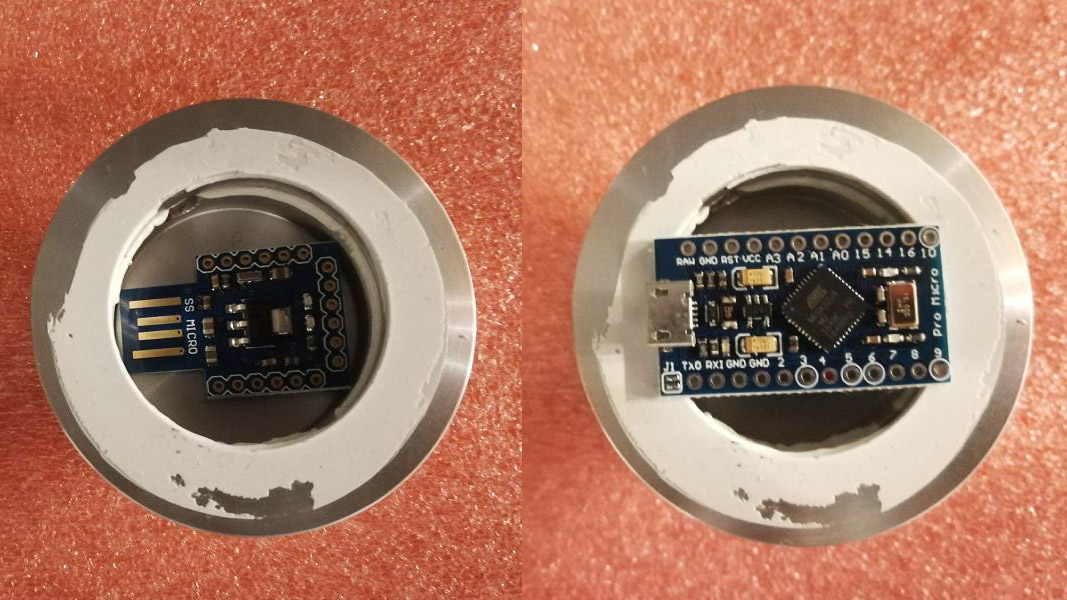
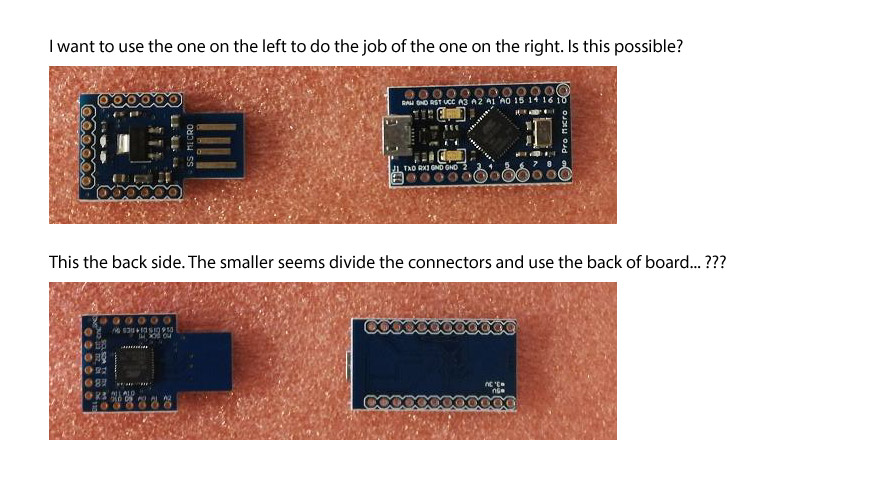
Hello, I am seeking some advice for following a project that I found online. The programming instructions are clear for the project I want to follow. However, I plan to modify what I use (just slightly) so I figured some of the more knowledgeable members here would advise me if my idea is sound. I would like to build a Jog and Shuttle controller. I am following this project that shows how to do it with parts that work within the Arduino specification. I want to modify the ATMEGA32U4 board part. The reason I want to do that is because of the housing I am choosing. It is not big enough to fit the ATMEGA32U4 that is recommended. I have found another ATMEGA32U4 board that seems to be much smaller. It has a different configuration that is front and back. I would like to be advised as to weather or not this can be used the same way to produce the physical connection of the electronics and the programming instructions by the tutorial? I also am not sure how the other (smaller) ATMEGA32U4 can be setup like the one that is recommended. I show the picture with the differences below. Could someone advise me if my idea will work. I have good understanding of working electronic parts and figure to connect a wire I can get creative. However I want to know the part can work. Thanks

Samller board (left)
Bigger board (right)

 
Last edited:

LesJones

Joined Jan 8, 2017
4,511
Also I suspect that the smaller board does not have the USB to serial conversion built in so you would need to use an external USB to serial converter for programming it.

Les.
 

KeithWalker

Joined Jul 10, 2017
3,607
Also I suspect that the smaller board does not have the USB to serial conversion built in so you would need to use an external USB to serial converter for programming it.

Les.
The end of the circuit board with four connector pads on it is for plugging directly into a USB port.
 

Thread Starter

pctechtv

Joined Aug 10, 2016
21
Also I suspect that the smaller board does not have the USB to serial conversion built in so you would need to use an external USB to serial converter for programming it.

Les.
I am very savvy with soldering and using tools like a Dremel. My plan is cut some of the front of the boards USB area off, and then drill very small holes into the USB copper to accept my wire from the cable I will directly connect. This cable has a strain relief that works well with the housing I am using.
 

Thread Starter

pctechtv

Joined Aug 10, 2016
21
It should work, if you change the source code -> #define pins
Thanks for the reply. I would also like to add I don't have any experience with Ardunio. I am more than sure that the advice to change the source code is accurate. So, I would feel better is someone could say use pin??, pin??, pin??, pin??, and pin?? so I will know that I am not causing an error with a bad configuration. Thanks
 

danadak

Joined Mar 10, 2018
4,057
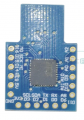
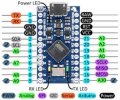
Just compare the pins available on both boards to figure out which ones
you need to change in code -

upload_2019-8-12_7-17-12.png

upload_2019-8-12_7-18-51.jpeg

So make a table of pins used on Pro Mini and map them (code change)
to SS Micro Mini.


Regards, Dana.
 

Thread Starter

pctechtv

Joined Aug 10, 2016
21
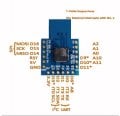
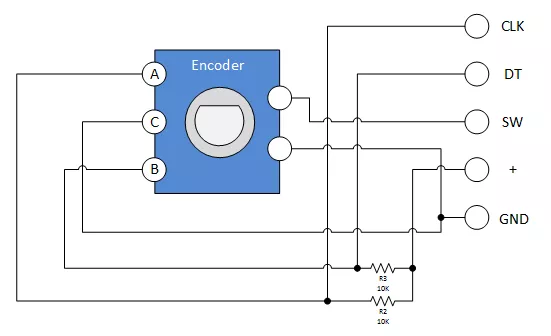
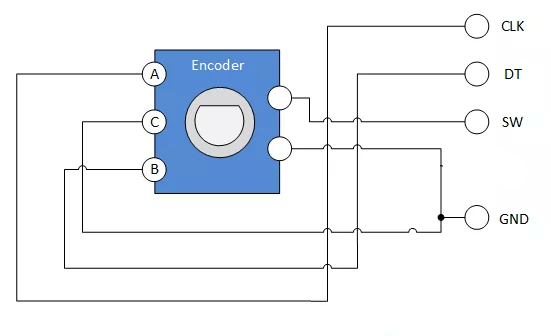
Now I have come to a point in this project where I need to make another modification. I realize that my housing cannot fit the encoder with the breakout board. I want to use one without the breakout board. However, the information I am finding online makes me think I will need some more electronics added to the new type of encoder. The diagram I have found seems to explain how the electronics should be built on the encoder without the breakout board. I will wait for someone more experienced with this and Arduino to advise is my thinking correct. Thanks

 
Last edited:

dendad

Joined Feb 20, 2016
4,638
The encoder will work without additional pullup resistors if you use the internal ones...
This is part off my code for a transceiver frequency synthesizer...

// encoder definitions
#define ENCODER_A A0
#define ENCODER_B A1
#define ENCODER_BUTTON 5 // selects tuning decade
.
.
.
.
pinMode(ENCODER_A, INPUT_PULLUP); // encoder leads
pinMode(ENCODER_B, INPUT_PULLUP);
pinMode(ENCODER_BUTTON, INPUT_PULLUP);

Using the pinMode as above, you do not need the resistors.
So then the + lead does not go to the encoder either.
 

Thread Starter

pctechtv

Joined Aug 10, 2016
21
Hi, thanks for the reply. Are you saying it will be OK to have just four connections coming from the encoder. OK I will try with no + like the diagram has as A. Could I see all of the code? Thanks
 

Thread Starter

pctechtv

Joined Aug 10, 2016
21
Now I have it setup like @dendad describes. It is the first time I have seen it do anything but show a steady red light. However it seems to be sending a key like an up(arrow) every where all the time. I put the cursur in the Arduino code it just move very fast to the end, I cannot even type. In other programs it is doing the same thing.


#include "Keyboard.h"

#define ENCODER_B D15
#define ENCODER_A A0
#define ENCODER_BUTTON A1
#define ENCODER_GND A11

bool aState;
bool aLastState;
int lastButtonState = 0;

void setup() {

Keyboard.begin();

pinMode(ENCODER_A, INPUT);
pinMode(ENCODER_BUTTON, INPUT_PULLUP);

pinMode(ENCODER_GND, INPUT_PULLUP);
digitalWrite(ENCODER_GND, LOW);

Serial.begin(9600);

aLastState = digitalRead(ENCODER_A);
}
bool count = 0;
bool keyFlag = false;
long lastClickTime = 0;
long lastRotateTime = 0;

void loop() {

if (millis() - lastClickTime > 1000) {
aState = digitalRead(ENCODER_A);
if (aState != aLastState) {
if (digitalRead(ENCODER_A) != aState) {
Keyboard.press(KEY_LEFT_ARROW);
} else {
Keyboard.press(KEY_RIGHT_ARROW);
}
Keyboard.releaseAll();
aLastState = aState;
}

if (digitalRead(ENCODER_BUTTON) == LOW) {
if (lastButtonState == HIGH) {
Keyboard.print(" ");
lastClickTime = millis();
}
lastButtonState = LOW;
} else {
lastButtonState = HIGH;
}
}

}
 
Last edited:

Thread Starter

pctechtv

Joined Aug 10, 2016
21
Also the board that I am using has a GND connection hole. How do you represent that in code. When I use GND the code errors. Thank
 
Top