Got a arduino Uno and I have it operating 3 servos. Just wondering if I can program the board to run all 3 simultaneously.
So far all I’ve been able to do is get them to run one at a time.
This would go better if you posted your code? The Arduino can run one instruction at a time but do it in very fast succession. Less seeing your code and knowing exactly what each servo is doing it's about impossible;e to answer your question.
There is plenty of examples for controlling servos with arduino, not least on the adrudino forum.
You will need a separate power supply for the servos.
This would go better if you posted your code? The Arduino can run one instruction at a time but do it in very fast succession. Less seeing your code and knowing exactly what each servo is doing it's about impossible;e to answer your question.
Servo myservo1; // create servo object to rotate the head
Servo myservo2; // create servo object to tilt the head
Servo myservo3; // create servo object for opening and closing jaw
int pos = 90; // variable to store the servo position
void setup() {
myservo1.attach(9); // attaches the horizontal rotating servo on pin 9 to the servo object
myservo2.attach(10); // attaches the tilt servo on pin 10 to the servo object
myservo3.attach(11); // attaches the vertical rotating servo on pin 11 to the servo object
}
void loop() {
for (pos = 0; pos <= 50; pos += 1) { // goes from 0 degrees to 50 degrees
// in steps of 1 degree
myservo1.write(pos); // tell servo to go to position in variable 'pos'
delay(50); // waits 100ms for the servo to reach the position
}
for (pos = 50; pos >= 0; pos -= 1) { // goes from 50 degrees to 0 degrees
myservo1.write(pos); // tell servo to go to position in variable 'pos'
delay(50); // waits 100ms for the servo to reach the position
}
for (pos = 0; pos <= 90; pos += 1) { // goes from 0 degrees to 90 degrees
// in steps of 1 degree
myservo2.write(pos); // tell servo to go to position in variable 'pos'
delay(50); // waits 100ms for the servo to reach the position
}
for (pos = 90; pos >= 0; pos -= 1) { // goes from 90 degrees to 0 degrees
myservo2.write(pos); // tell servo to go to position in variable 'pos'
delay(50); // waits 100ms for the servo to reach the position
}
for (pos = 0; pos <= 50; pos += 1) { // goes from 0 degrees to 50 degrees
// in steps of 1 degree
myservo1.write(pos); // tell servo to go to position in variable 'pos'
delay(50); // waits 100ms for the servo to reach the position
}
for (pos = 50; pos >= 0; pos -= 1) { // goes from 50 degrees to 0 degrees
myservo1.write(pos); // tell servo to go to position in variable 'pos'
delay(50); // waits 100ms for the servo to reach the position
}
for (pos = 0; pos <= 90; pos += 1) { // goes from 0 degrees to 90 degrees
// in steps of 1 degree
myservo2.write(pos); // tell servo to go to position in variable 'pos'
delay(50); // waits 100ms for the servo to reach the position
}
for (pos = 0; pos >= 50; pos += 1) { // goes from 0 degrees to 50 degrees
myservo1.write(pos); // tell servo to go to position in variable 'pos'
delay(50); // waits 100ms for the servo to reach the position
}
for (pos = 0; pos <= 80; pos += 1) { // goes from 0 degrees to 80 degrees
// in steps of 1 degree
myservo3.write(pos); // tell servo to go to position in variable 'pos'
delay(10); // waits 100ms for the servo to reach the position
}
for (pos = 60; pos >= 0; pos -= 1) { // goes from 60 degrees to 0 degrees
myservo3.write(pos); // tell servo to go to position in variable 'pos'
delay(10); // waits 100ms for the servo to reach the position
}
for (pos = 90; pos <= 50; pos += 1) { // goes from 0 degrees to 50 degrees
// in steps of 1 degree
myservo2.write(pos); // tell servo to go to position in variable 'pos'
delay(30); // waits 100ms for the servo to reach the position
}
for (pos = 50; pos >= 0; pos -= 1) { // goes from 50 degrees to 0 degrees
myservo2.write(pos); // tell servo to go to position in variable 'pos'
delay(30); // waits 100ms for the servo to reach the position
}
for (pos = 0; pos <= 30; pos += 1) { // goes from 0 degrees to 30 degrees
// in steps of 1 degree
myservo1.write(pos); // tell servo to go to position in variable 'pos'
delay(50); // waits 100ms for the servo to reach the position
}
for (pos = 0; pos <= 60; pos += 1) { // goes from 0 degrees to 60 degrees
// in steps of 1 degree
myservo3.write(pos); // tell servo to go to position in variable 'pos'
delay(15); // waits 100ms for the servo to reach the position
}
for (pos = 80; pos >= 0; pos -= 1) { // goes from 80 degrees to 0 degrees
myservo3.write(pos); // tell servo to go to position in variable 'pos'
delay(15); // waits 100ms for the servo to reach the position
}
for (pos = 30; pos >= 0; pos -= 1) { // goes from 30 degrees to 0 degrees
myservo1.write(pos); // tell servo to go to position in variable 'pos'
delay(65); // waits 100ms for the servo to reach the position
}
for (pos = 0; pos >= 60; pos += 1) { // goes from 0 degrees to 60 degrees
myservo2.write(pos); // tell servo to go to position in variable 'pos'
delay(40); // waits 100ms for the servo to reach the position
}
for (pos = 60; pos <= 0; pos -= 1) { // goes from 60 degrees to 0 degrees
// in steps of 1 degree
myservo2.write(pos); // tell servo to go to position in variable 'pos'
delay(30); // waits 100ms for the servo to reach the position
}
for (pos = 0; pos <= 30; pos += 1) { // goes from 0 degrees to 30 degrees
// in steps of 1 degree
myservo1.write(pos); // tell servo to go to position in variable 'pos'
delay(75); // waits 100ms for the servo to reach the position
}
for (pos = 30; pos >= 0; pos -= 1) { // goes from 30 degrees to 0 degrees
myservo1.write(pos); // tell servo to go to position in variable 'pos'
delay(50); // waits 100ms for the servo to reach the position
Just at a glance and I am not an Arduino or code guru servos are slow, The code is written allowing time for the servos to get to new command positions. Slightly humorous is the comment after a delay is always
// waits 100ms for the servo to reach the position regardless of the actual delay. Most of the delays are short anyway but the servos can only respond so fast.
When posting code it should look like this:
Code:
#include <Servo.h>

Servo myservo1; // create servo object to rotate the head
Servo myservo2; // create servo object to tilt the head
Servo myservo3; // create servo object for opening and closing jaw

int pos = 90; // variable to store the servo position

void setup() {
myservo1.attach(9); // attaches the horizontal rotating servo on pin 9 to the servo object
myservo2.attach(10); // attaches the tilt servo on pin 10 to the servo object
myservo3.attach(11); // attaches the vertical rotating servo on pin 11 to the servo object

}

void loop() {
for (pos = 0; pos <= 50; pos += 1) { // goes from 0 degrees to 50 degrees
// in steps of 1 degree
myservo1.write(pos); // tell servo to go to position in variable 'pos'
delay(50); // waits 100ms for the servo to reach the position
}
for (pos = 50; pos >= 0; pos -= 1) { // goes from 50 degrees to 0 degrees
myservo1.write(pos); // tell servo to go to position in variable 'pos'
delay(50); // waits 100ms for the servo to reach the position

}
for (pos = 0; pos <= 90; pos += 1) { // goes from 0 degrees to 90 degrees
// in steps of 1 degree
myservo2.write(pos); // tell servo to go to position in variable 'pos'
delay(50); // waits 100ms for the servo to reach the position
}
for (pos = 90; pos >= 0; pos -= 1) { // goes from 90 degrees to 0 degrees
myservo2.write(pos); // tell servo to go to position in variable 'pos'
delay(50); // waits 100ms for the servo to reach the position

}
for (pos = 0; pos <= 50; pos += 1) { // goes from 0 degrees to 50 degrees
// in steps of 1 degree
myservo1.write(pos); // tell servo to go to position in variable 'pos'
delay(50); // waits 100ms for the servo to reach the position
}
for (pos = 50; pos >= 0; pos -= 1) { // goes from 50 degrees to 0 degrees
myservo1.write(pos); // tell servo to go to position in variable 'pos'
delay(50); // waits 100ms for the servo to reach the position

}
for (pos = 0; pos <= 90; pos += 1) { // goes from 0 degrees to 90 degrees
// in steps of 1 degree
myservo2.write(pos); // tell servo to go to position in variable 'pos'
delay(50); // waits 100ms for the servo to reach the position
}

for (pos = 0; pos >= 50; pos += 1) { // goes from 0 degrees to 50 degrees
myservo1.write(pos); // tell servo to go to position in variable 'pos'
delay(50); // waits 100ms for the servo to reach the position

}
for (pos = 0; pos <= 80; pos += 1) { // goes from 0 degrees to 80 degrees
// in steps of 1 degree
myservo3.write(pos); // tell servo to go to position in variable 'pos'
delay(10); // waits 100ms for the servo to reach the position
}
for (pos = 60; pos >= 0; pos -= 1) { // goes from 60 degrees to 0 degrees
myservo3.write(pos); // tell servo to go to position in variable 'pos'
delay(10); // waits 100ms for the servo to reach the position
}


for (pos = 90; pos <= 50; pos += 1) { // goes from 0 degrees to 50 degrees
// in steps of 1 degree
myservo2.write(pos); // tell servo to go to position in variable 'pos'
delay(30); // waits 100ms for the servo to reach the position
}
for (pos = 50; pos >= 0; pos -= 1) { // goes from 50 degrees to 0 degrees
myservo2.write(pos); // tell servo to go to position in variable 'pos'
delay(30); // waits 100ms for the servo to reach the position

}

for (pos = 0; pos <= 30; pos += 1) { // goes from 0 degrees to 30 degrees
// in steps of 1 degree
myservo1.write(pos); // tell servo to go to position in variable 'pos'
delay(50); // waits 100ms for the servo to reach the position

}
for (pos = 0; pos <= 60; pos += 1) { // goes from 0 degrees to 60 degrees
// in steps of 1 degree
myservo3.write(pos); // tell servo to go to position in variable 'pos'
delay(15); // waits 100ms for the servo to reach the position
}
for (pos = 80; pos >= 0; pos -= 1) { // goes from 80 degrees to 0 degrees
myservo3.write(pos); // tell servo to go to position in variable 'pos'
delay(15); // waits 100ms for the servo to reach the position
}
for (pos = 30; pos >= 0; pos -= 1) { // goes from 30 degrees to 0 degrees
myservo1.write(pos); // tell servo to go to position in variable 'pos'
delay(65); // waits 100ms for the servo to reach the position

}
for (pos = 0; pos >= 60; pos += 1) { // goes from 0 degrees to 60 degrees
myservo2.write(pos); // tell servo to go to position in variable 'pos'
delay(40); // waits 100ms for the servo to reach the position

}

for (pos = 60; pos <= 0; pos -= 1) { // goes from 60 degrees to 0 degrees
// in steps of 1 degree
myservo2.write(pos); // tell servo to go to position in variable 'pos'
delay(30); // waits 100ms for the servo to reach the position
}


for (pos = 0; pos <= 30; pos += 1) { // goes from 0 degrees to 30 degrees
// in steps of 1 degree
myservo1.write(pos); // tell servo to go to position in variable 'pos'
delay(75); // waits 100ms for the servo to reach the position
}
for (pos = 30; pos >= 0; pos -= 1) { // goes from 30 degrees to 0 degrees
myservo1.write(pos); // tell servo to go to position in variable 'pos'
delay(50); // waits 100ms for the servo to reach the position


}
}
Your code had the close tag but missing the start tag. No big deal. Anyway my best guess is while you can reduce delay times I doubt things will go any faster than the servos can respond.
I appreciate the feedback. Thanks.
It sounds like I wasn’t being clear in my original question. The speed of the servos wasn’t a concern. I’m just wondering if I can command the 3 servos to run at the same time. So far it sounds like I can only have one servo move at a time. Then have the next one move and then the 3rd servo move. I was hoping to see all 3 move simultaneously. If my arduino can’t do that, Or the programming language can’t, is there a microprocessor out there that can?
You can only execute a single line of your code at a time. If you want to try something just write several lines of code, something like this or just copy and paste this snippet.
Code:
#include <Servo.h>

Servo myservo1;  // create servo objects to control servos
Servo myservo2;
Servo myservo3;
// twelve servo objects can be created on most boards

int pos = 0;    // variable to store the servo positions

void setup() {
  myservo1.attach(9);  // attaches servo1 on pin 9 to the servo object
  myservo2.attach(10); // attaches servo1 on pin 10 to the servo object
  myservo3.attach(11); // attaches servo1 on pin 11 to the servo object

}

void loop() {
  for (pos = 0; pos <= 180; pos += 1) { // goes from 0 degrees to 180 degrees
    // in steps of 1 degree
    myservo1.write(pos);  // tell servos to go to position in variable 'pos'
    myservo2.write(pos);
    myservo3.write(pos);
    delay(15);                       // waits 15ms for the servo to reach the position
  }
  for (pos = 180; pos >= 0; pos -= 1) { // goes from 180 degrees to 0 degrees
    myservo1.write(pos);  // tell servo to go to position in variable 'pos'
    myservo2.write(pos);
    myservo3.write(pos);
    delay(15);                       // waits 15ms for the servo to reach the position
  }
}
Three servos as you have only I put them on pins 9, 10 and 11 which you can change. The code should load. Just give it a name. Now see how it executes. It should run line by line in sequence. That is the nature of the beast. Well at least I don't know of another way.
I appreciate the feedback. Thanks.
It sounds like I wasn’t being clear in my original question. The speed of the servos wasn’t a concern. I’m just wondering if I can command the 3 servos to run at the same time. So far it sounds like I can only have one servo move at a time. Then have the next one move and then the 3rd servo move. I was hoping to see all 3 move simultaneously. If my arduino can’t do that, Or the programming language can’t, is there a microprocessor out there that can?
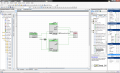
Another would be PSOC. Use an ISR, on one edge of PWM cycle to do the update to the 3
DC (Duty Cycle) registers. That would be close to ideal for a servo period as the time to do that
is a tiny fraction of period.
Alternatively one can use the counter and compare logic components and make a PWM internally
from scratch. And double buffer internally using registers the DC register so that writes occur then
an enable to all 3 buffer registers dumps into the respective DC register and they all update simultaneously.
Or use PSOC verilog capability and do the design that way. In any event this is all a one chip design.
You can see in right hand window most of the other resources onchip were not used, could be used for other tasks.
Another would be PSOC. Use an ISR, on one edge of PWM cycle to do the update to the 3
DC (Duty Cycle) registers. That would be close to ideal for a servo period as the time to do that
is a tiny fraction of period.
Alternatively one can use the counter and compare logic components and make a PWM internally
from scratch. And double buffer internally using registers the DC register so that writes occur then
an enable to all 3 buffer registers dumps into the respective DC register and they all update simultaneously.
Or use PSOC verilog capability and do the design that way. In any event this is all a one chip design.
Got a arduino Uno and I have it operating 3 servos. Just wondering if I can program the board to run all 3 simultaneously.
So far all I’ve been able to do is get them to run one at a time.
Yes, you can. First you need to understand how RC servos work:
Approximately every 18 mS a positive pulse is applied to the input of a servo. The length of the pulse corresponds to the position for the servo to move to. The pulse can be from 1 to 2 mS long. 1.5 mS sets the servo to the center position of it's travel. It will take a number of pulses toget the servo to the correct position, depending on the speed of the servo.
You really need some kind of input to the Arduino for the servos to track. You could use three potentiometers connected between +5 and ground with the sliders connected to analog input pins.
Make a sequence in the Arduino "void loop()" :
First read the inputs from the three pots. Scale the value (0 to 1024) to a delay value (1000 to 2000)
With the Arduino, starting with all the servo outputs set to "LOW", in sequence, create three positive pulses with the lengths in microseconds using the thee values form the pots and apply these delays, one to each servo digital output pin. Finally generate a delay for the rest of the sequence.
e.g.
// Read the pots and scale the values
pot1 = (analogRead A0);
pot1 = map(pot1, 0, 1023, 1000, 2000);
pot2 = (analogRead A1);
pot2 = map(pot2, 0, 1023, 1000, 2000);
pot3 = (analogRead A2);
pot3 = map(pot3, 0, 1023, 1000, 2000);
// Send a positive pulse to each servo
digitalWrite(servo1, HIGH);
delayMicroseconds (pot1);
digitalWrite(servo1, LOW);
digitalWrite(servo2, HIGH);
delayMicroseconds (pot2);
digitalWrite(servo2, LOW);
digitalWrite(servo3, HIGH);
delayMicroseconds (pot3);
digitalWrite(servo3, LOW);
// Wait for the rest of the servo period (13mS)
delay (13);
Put this in the "void loop()"
Note, I have not initialized any pins or variables. You will have to add that before this will work.
Each time around the loop, the pots will be checked and three pulses proportional to the values read will be sent to the servos. When you move a pot, it's associated servo will move.
Regards,
Keith
Thinking about this and looking at Keith's reply has me wondering if I am reading what you want correctly? Are you after what Keith suggest, meaning the ability to control the individual position of each servo? Then yes, that can be done with a few added parts as Keith suggested.
Thanks so much Keith for your great input.
So I guess to give an example of what I want to really clarify my needs:
I have a skeleton that Ive installed 3 servos. First one rotates the head. Second one tilts the head up and down. Third opens and closes the mouth. I want to be able to command all 3 servos to run at the same time but still be able to individually control the time and degrees of rotation to each one.
I want to be able to command all 3 servos to run at the same time but still be able to individually control the time and degrees of rotation to each one.
OK, You can manually control each using pots (potentiometers) as Keith outlined. The code would look like this using and the servo library:
Code:
#include <Servo.h>

Servo myservo1;  // create a servo object
Servo myservo2;
Servo myservo3;

int potpin1 = 0;  // analog potentiometer input pins
int potpin2 = 1;
int potpin3 = 2;

int val1;  // read values from the analog input pins
int val2;
int val3;

void setup() {
  Serial.begin (9600);

  myservo1.attach(9);  // attached servo pins
  myservo2.attach(10);
  myservo3.attach(11);

}

void loop() {
  val1 = analogRead(potpin1);
  val1 = map(val1, 0, 1023, 0, 180);
  myservo1.write(val1);
  delay(20);
  val2 = analogRead(potpin2);
  val2 = map(val2, 0, 1023, 0, 180);
  myservo2.write(val2);
  delay(20);
  val3 = analogRead(potpin3);
  val3 = map(val3, 0, 1023, 0, 180);
  myservo3.write(val3);
  delay(20);

  // Print the data to serial monitor, can be omitted along with last delay.
  Serial.print("Servo 1 Position ");
  Serial.print(val1);
  Serial.println(" Degrees");


  Serial.print("Servo 2 Position ");
  Serial.print(val2);
  Serial.println(" Degrees");

  Serial.print("Servo 3 Position ");
  Serial.print(val3);
  Serial.println(" Degrees");

  Serial.println();

  delay(1000);

}
You can also come up with automated routines where the code just runs a prescribed routine over and over again. There were examples of doing that earlier where the servos just did full travel back and forth over and over again. You could for example add a button and on different numbers of button press a different routine would run or you can have several buttons and each button triggers a routine. So manually you have three pots to turn and auto you have a preset routine that runs and you can have more than a single routine. I am thinking you just want automated routines. In the above example all of the serial print can be eliminated as it is just so a user can see what is going on.

 Facebook
 Google
 GitHub
 Linkedin